Why type when you can Speak to your CRM, invoicing, projects, scheduling and business?
Vertiqa is an AI operations system for consulting and service teams, with CRM, scheduling, projects and invoicing in one place. Vee, its built-in assistant, prepares client notes and follow-up tasks from your voice updates for you to review and confirm.
Trusted by









- Google Calendar
- Microsoft 365
- Gmail
- Zoom
- Twilio SMS
- MCP
“I knew I was doing a lot of things, but I couldn't see what I was doing. When I joined Vertiqa, I was able to see it, especially my pipeline of opportunities. I was able to project the value of my pipeline.”
 Lucia Fernandes StanislasFounder, Impactify
Say it. Check it. Done.
The call is over. The note, reminder and team update still need doing. Start with that one piece of work.
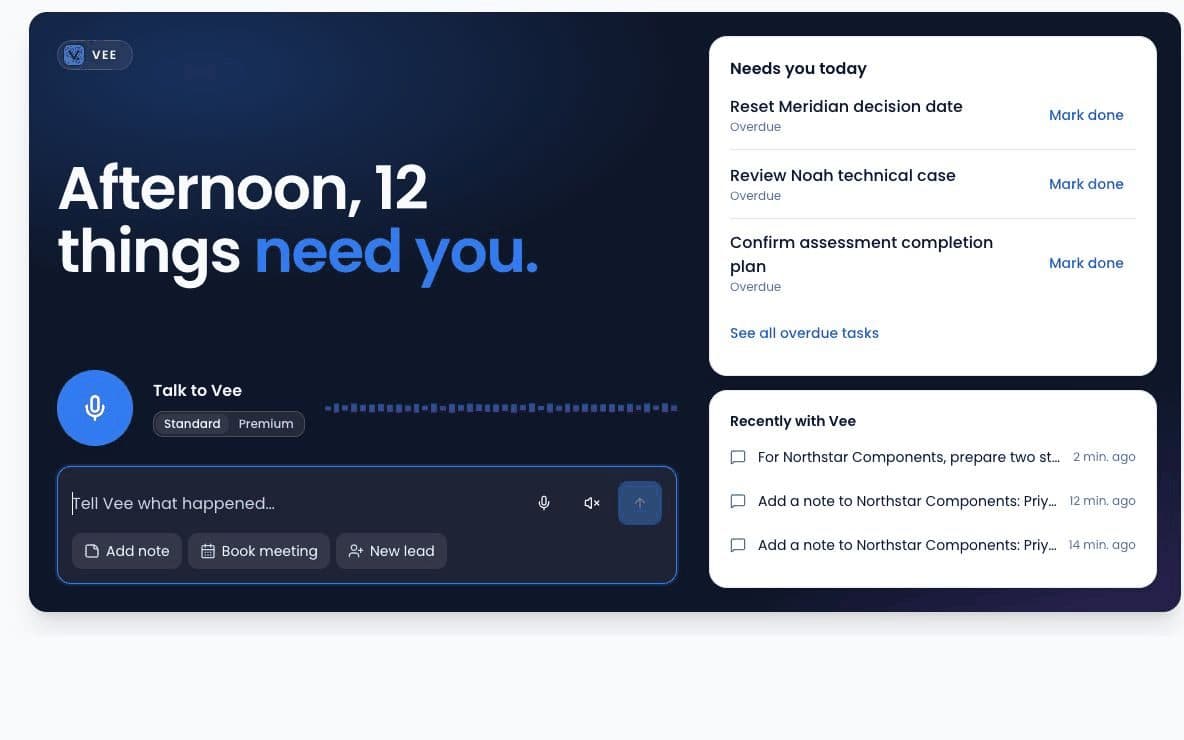
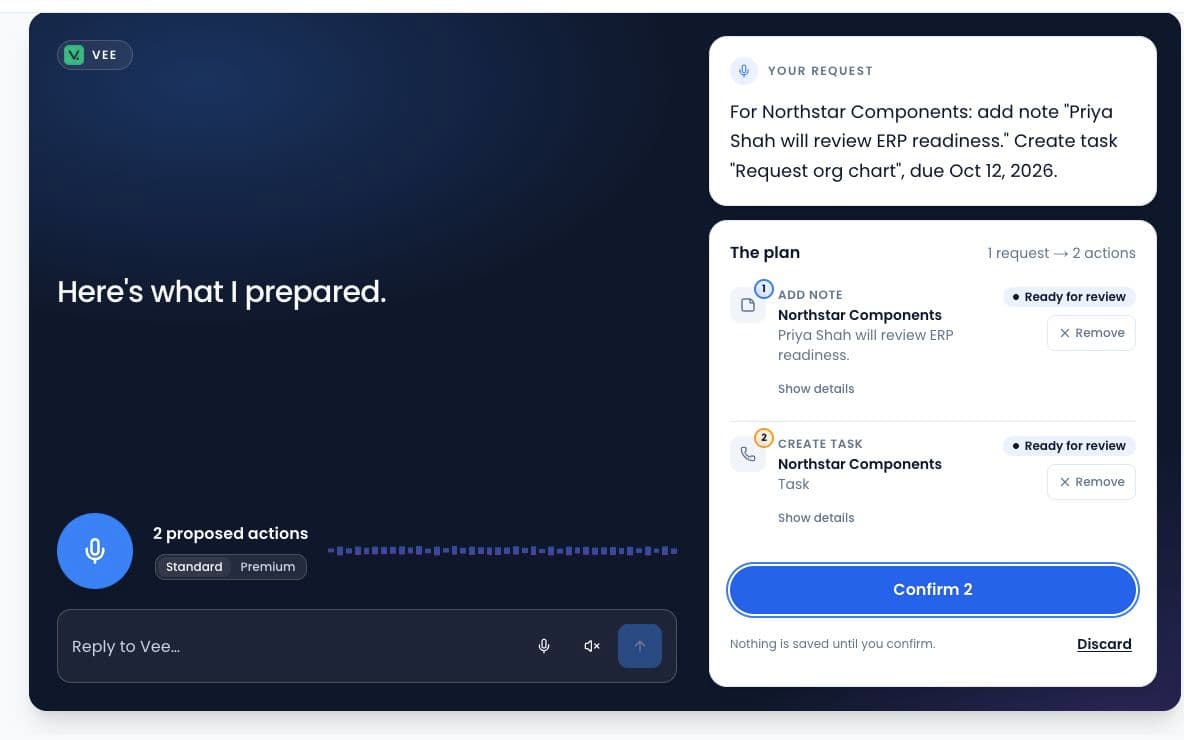
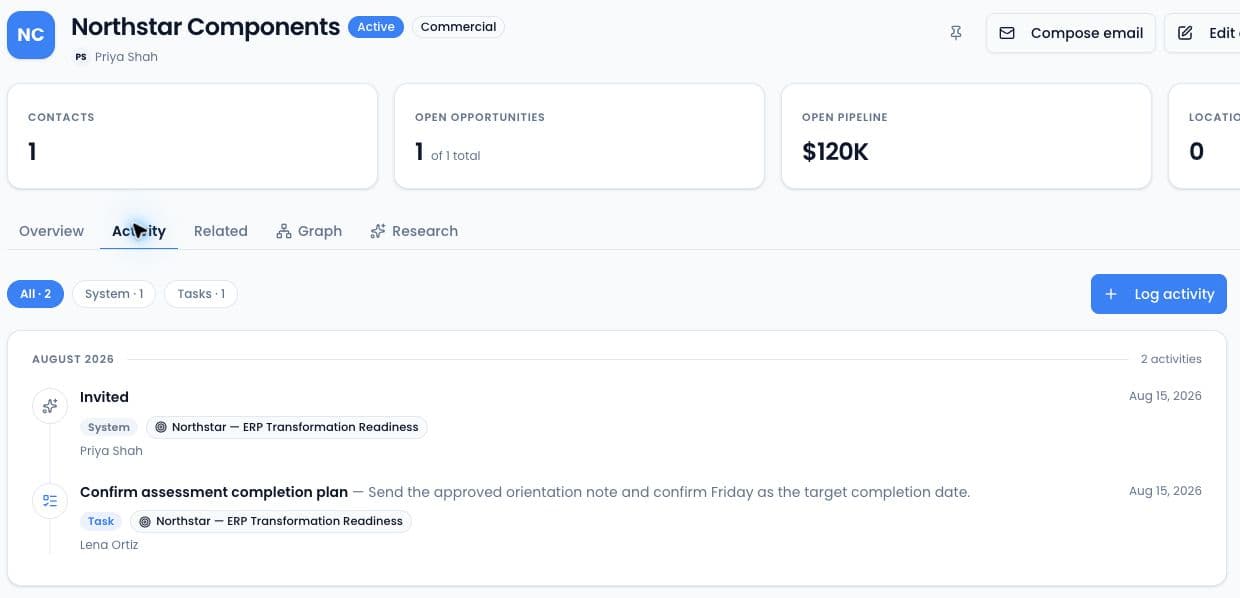
All real recordings (5)
Real Vee screens and recordings · pauses shortened · fictional customer data.
Watch the after-call demo and read the transcriptHear it from Josh.
How River Avenue Digital runs its client work on Vertiqa.
“We quickly saw all the value it brought, and it has become more than just a CRM system for the business.”
 Josh IronsFounder & CEORiver Avenue Digital
Vertiqa is an AI operations system for service businesses, built in Atlanta. Meet the founder and company.
Start with follow-through. Grow into the rest.
Use the CRM for your next client conversation. Scheduling, projects and invoicing are already in the plan when you need them.
Client relationships
- CRM and pipelines
- Marketing campaigns
- Client portal
- Digital business cards
Daily operations
- Scheduling and tasks
- Projects
- Quotes and invoicing
- Team management
- Tickets, jobs and dispatch
Visibility
- Follow-up tracking
- Document vault
- Analytics
- AI page builder
AI assistance
- Follow-up and recap agents
- Ask-your-business chat
- Claude and ChatGPT via MCP
The AI receptionist is an optional add-on. Explore the features
One Business plan. Start with one user.
Per-user pricing. AI and phone usage beyond the included allowances is metered, with a spend cap you set.
Vertiqa Business
Optional AI receptionist
What a credit covers, overage and the launch terms are in the FAQ. Need a usage estimate, SSO or a private instance? Talk to us.
Try one client conversation.
- Create your account and add one client.
- Tell Vee what happened after your next call.
- Review the note and task. Decide whether this fits your working day.
Keep your existing CRM while you evaluate.
Bringing an existing CRM?
Before you start.
What is Vertiqa?
Vertiqa is an AI operations system for consulting and service teams, with CRM, scheduling, projects and invoicing in one place. Vee, its built-in assistant, prepares client notes and follow-up tasks from your voice updates for you to review and confirm.
Who is Vertiqa for?
Vertiqa is for owner-led consulting firms and service teams that manage client relationships, follow-ups and delivery. Start with one client conversation, then use the connected scheduling, projects and invoicing tools as you need them.
How is Vee different from dictation?
Dictation turns speech into text. Vee prepares proposed changes to client records, such as a CRM note or follow-up task. You review the destination and details, edit or discard anything that is wrong, then confirm. A drafted email still waits for you to send it.
What happens after a client call?
Tell Vee what happened and ask for the note, next task or recap draft you need. Review the proposed changes before confirming them. Confirmed notes and tasks appear on the client record; an email draft is not sent automatically.
Will Vee send anything to my clients on its own?
No. Recap emails and messages wait in drafts until you approve and send them. Every update is a draft until you say so.
What if Vee gets something wrong?
You see every draft before it's saved. Edit any line, change where it's filed, or discard it.
How do AI credits work?
An AI credit covers one completed agent task, for example drafting a follow-up, researching a prospect or generating a daily brief. Each user gets 2,000 a month, and routine activity capture and timeline updates do not count against it. Beyond that, usage is pay-as-you-go up to a spend cap you set.
What happens when the trial ends?
Your 30-day trial does not automatically become a paid subscription. You choose a paid plan and provide billing details before a subscription fee is charged. Before the trial ends, export any data you need using the available export tools. If you decide not to continue, contact us to confirm the access and data retention window for your account.
What will I pay beyond the subscription?
Business includes 2,000 AI credits per user/month. Additional AI credits, receptionist minutes beyond the included 30 minutes per line/month, and communications usage are metered. Per-unit rates are not published on this page. Ask for a usage estimate and confirm rates and what happens at the spend cap before enabling paid usage.
Is the launch price permanent?
No. The advertised Business launch rate is $22/user/month through Dec 31. The standard rate is $29/user/month after the launch period. Confirm your billing terms when subscribing.
What happens to my current CRM and data?
Start with one client while you keep your current CRM. CSV import supports accounts, contacts, notes and custom fields, with column mapping and duplicate handling. Leads and deals are not supported by CSV import yet. You can add a deal manually for your trial; discuss your migration with us before moving an entire pipeline.
Make your next follow-up easier.
Start with one client, one conversation and a next step you can review.