Say it once. The Assistant does the rest.
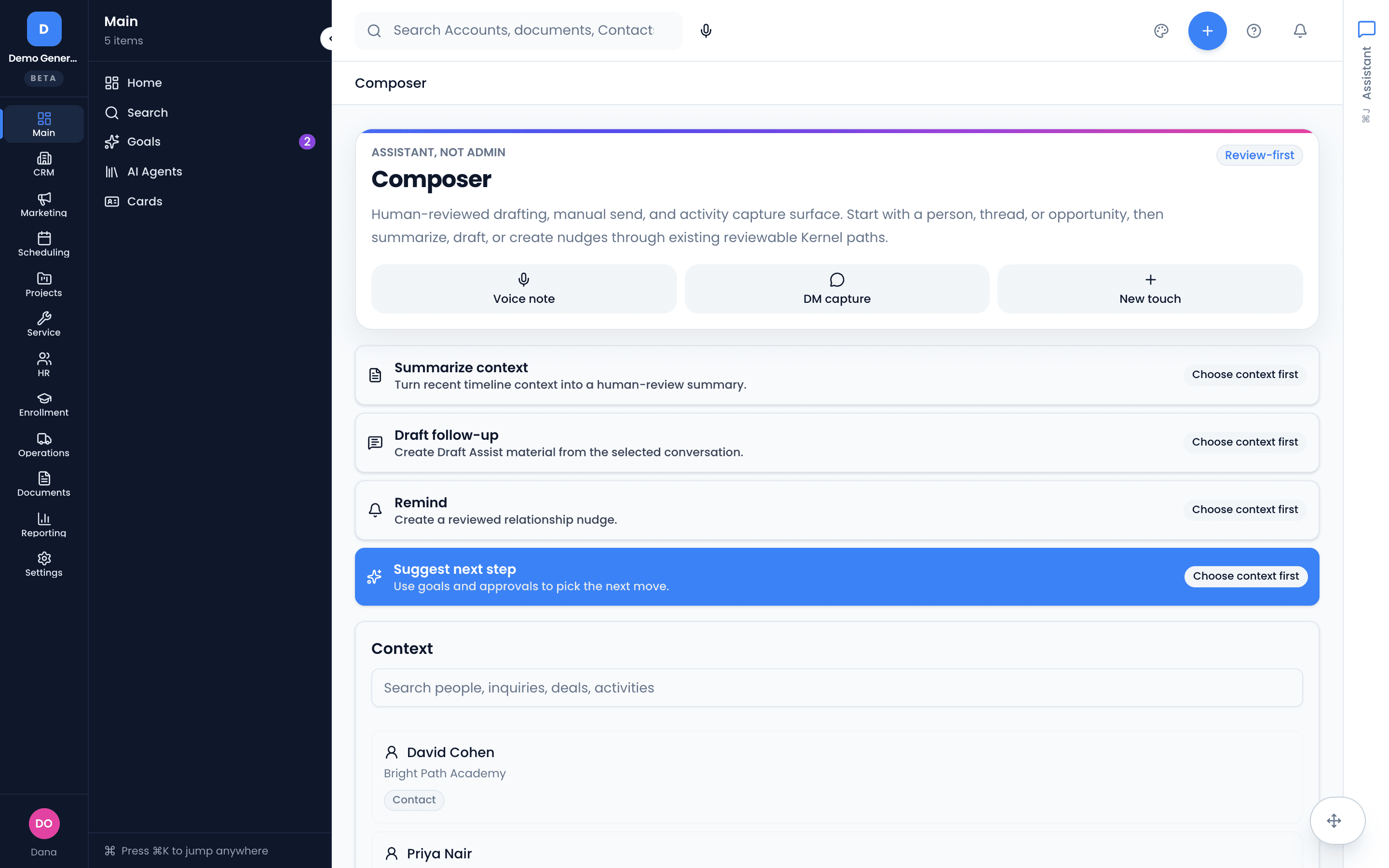
One chat panel, docked on every page, with two jobs: ask it anything about your business and get an evidence-backed answer, or tell it what happened and watch it become the logged call, the task, the drafted email — previewed, and applied only when you say so.
No credit card needed
Ask like you’d ask a colleague — get answers with receipts
Type “which estimates are going stale?” or “what happened with the Acme deal?” and the Assistant answers from your workspace’s own records. Status questions return clickable record lists; what-happened questions return an answer built on an Evidence Timeline you can verify source by source.
- Evidence Timeline groups source records by day — excerpt, source, freshness, and an Open link on each
- Record-list answers link every row to the underlying record
- It doesn’t guess: not enough evidence means it says so
- Permission-scoped — two people asking the same question see only what each is allowed to see
A plain sentence becomes the work
“Log a call with Acme — they want the pilot, send the recap, and chase Thursday if no reply.” The Assistant extracts each action, shows you exactly what it understood, and applies on confirm. After applying, every action reports its result with a link to the record it touched.
- Log calls, create and complete tasks, add or update contacts, move deal stages, push close dates, book or reschedule meetings, arm a chase
- Combine multiple actions in one message — each gets its own review row
- Mis-matched target? Type a hint, re-resolve, pick a suggestion, or create new
- Applied actions land on the record’s timeline like any other change, with Retry on failures
Two approval paths, sorted by risk — not by hope
Low-risk, high-confidence actions get a compact quick-confirm card: summary, confidence pill, Apply or Discard. Everything else opens a full review. Anything that sends externally — a booking that emails a real calendar invite — always gets the full review, no exceptions.
- Quick confirm for the safe stuff: a task, a logged activity
- Full review always for external sends, stage moves, contact edits, low confidence, or multi-action messages
- Per-row Edit, Remove, or Include before anything applies
- Nothing is ever written without your tap on Apply
Talk it in from the truck, the lot, or between meetings
The microphone transcribes speech straight into the composer — dictation is just a faster way to type, and the same preview-and-confirm flow always applies. That’s the whole “say it once” motion: one voice note after the call, four reviewed actions, zero data entry.
- Hands-free capture into the same composer, browser-based
- Same on-screen preview and Apply as typed requests
- Higher-stakes actions are never confirmed by voice alone — they always return to an on-screen review
Your morning, already triaged
The same Assistant assembles a daily brief on your dashboard: missed calls, new leads, stale estimates, overdue tasks, stuck jobs — with the priority items linked so you start the day acting, not hunting.
The Assistant is enabled per workspace — if you don’t see the panel, your admin can switch it on.
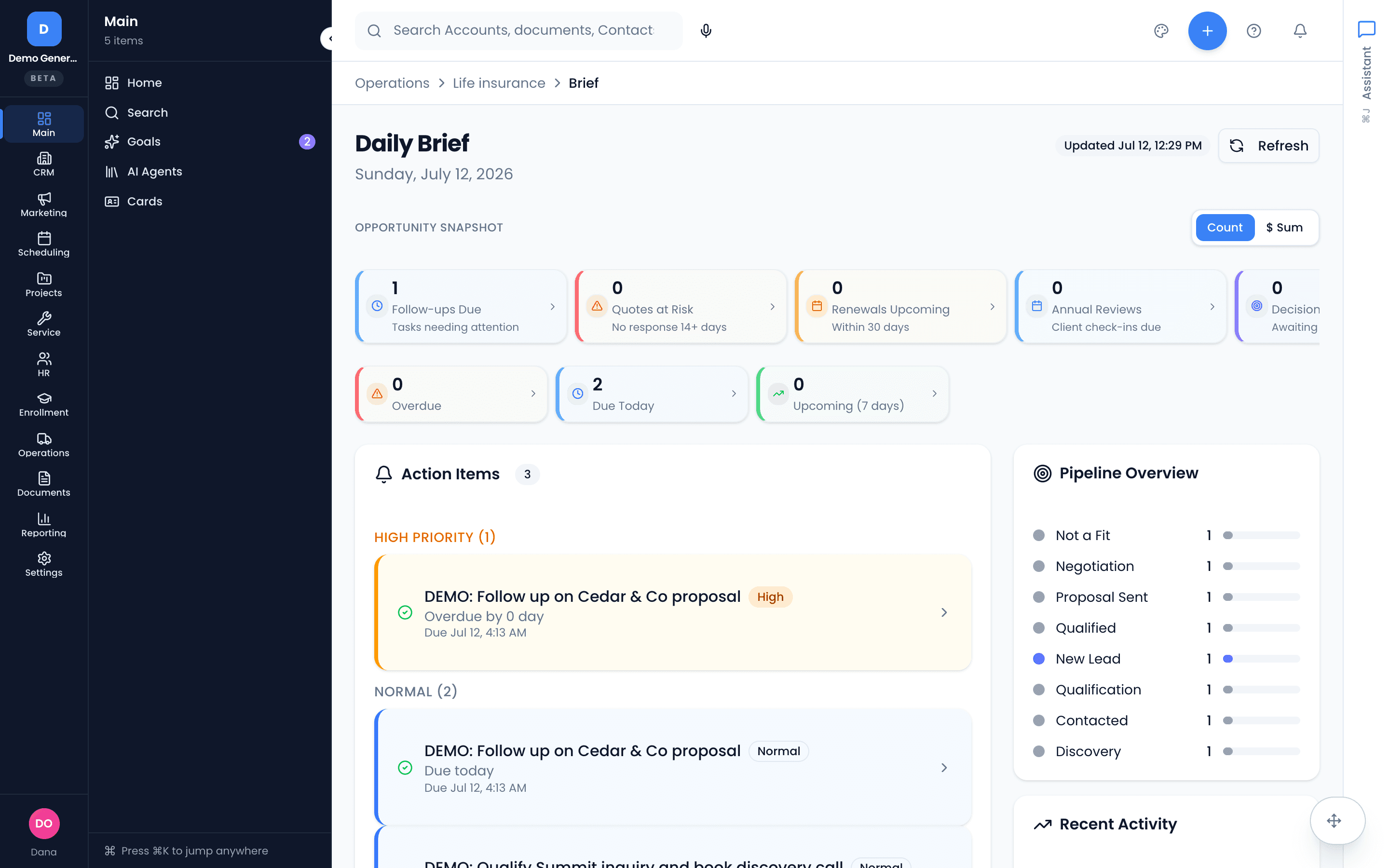
- Missed calls, new leads, stale estimates, overdue tasks, and stuck jobs in one card
- Priority items link straight to the record
- Built from the same evidence-backed engine as every answer
Asked plainly
Can the Assistant change my data without me knowing?
No. Every action returns as a preview, and nothing is written until you tap Apply. Low-risk, high-confidence actions get a quick confirm card; anything that sends externally, changes a deal stage, edits a contact, or comes back at low confidence always opens a full review — one row per action, each editable, removable, or re-targetable before anything happens.
What if it doesn’t know the answer?
It says so. The Assistant answers only from your workspace’s own records and doesn’t guess — answers come with an Evidence Timeline showing exactly which records they came from, each with an excerpt, source, freshness, and a link to open it. Every answer is also permission-scoped: you only ever see what you’re allowed to see.
What can it actually do?
Ask it anything about your business — “which estimates are going stale?”, “what happened with the Acme deal?” — and tell it what to do: log a call, create or complete a task, add or update a contact, move a deal’s stage, push a close date, book or reschedule a meeting, or set a chase for a quiet thread. You can combine several actions in one message; each becomes its own review row.
Can I use it by voice?
Yes — the microphone transcribes straight into the composer, which is how “say it once” works after a call. But higher-stakes actions (booking or rescheduling meetings, marking a deal won, changing stages or close dates) are deliberately never confirmed by voice alone — they always come back to an on-screen review.
Dig into the details
Every claim on this page is documented in the help center.
Related: Follow-Up Tracking · CRM · AI Receptionist
Data entry is the tax. Stop paying it.
Thirty days, every tool, no credit card. Leave one voice note after your next call and watch it become the work.
Every tool included. No credit card needed.