Follow-up tracking that catches what everyone else drops.
Vertiqa watches the gap between what should be happening and what actually is — the promised quote nobody sent, the lead going cold, the deal drifting past its close date — and puts the recovery in front of a person before the customer feels it.
No credit card needed
Catch the gap between the plan and reality
Drift alerts fire when Vertiqa detects that intended state and actual state have come apart: stale quotes, missed follow-ups, overdue tasks. Recurring checks — sweeps — run on a schedule you can see, and every alert arrives with the evidence that triggered it.
- Sweeps watch for stale quotes, missed follow-ups, and overdue tasks on a visible cadence
- Each alert shows rule type, severity, why it matters, and the affected records
- Every rule carries a noise level showing its false-positive rate
- Snooze what’s valid-but-early; dismiss with a reason and the system tunes itself
- Tighten thresholds or narrow a sweep to specific stages before ever disabling a rule
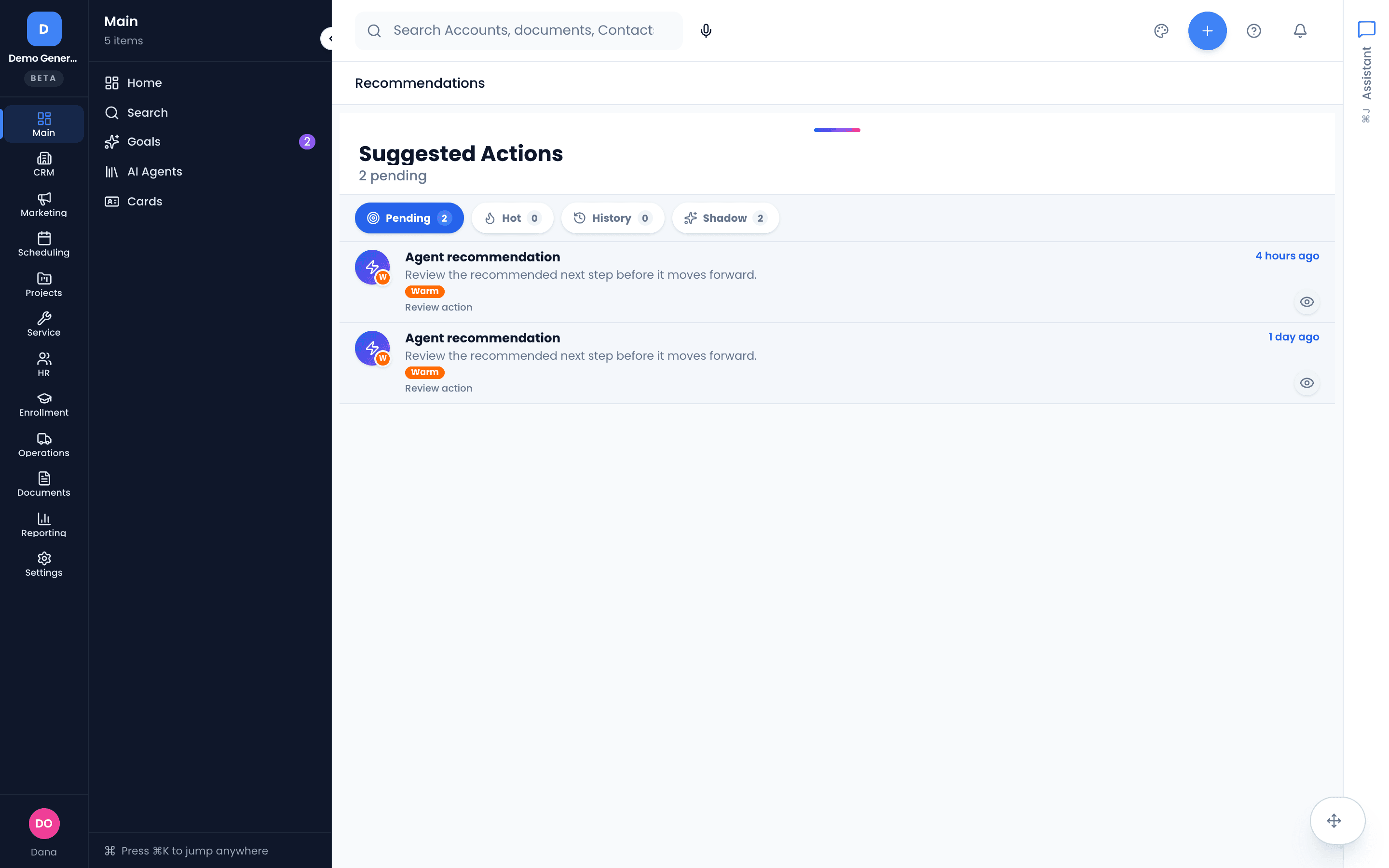
One queue answers: what needs a decision from me now?
Approvals, commitments, customer follow-up, blocked work, and failed runs all land in one daily triage surface. Every item leads with the business — the customer, what’s at risk, the promise and its deadline — never a raw ID or an alert code.
- Business-first rows: the account or deal, the risk in plain terms, the promise or deadline, a recommended action, and the evidence
- Approve a drafted follow-up with a before/after diff — one tap
- Close commitments, retry or cancel runs, snooze, or dismiss with a reason
- The queue shrinks as you decide — it’s a to-do list, not a dashboard
- On mobile and Simple mode, the same items arrive as a focused Queue
The five ways revenue leaks — each one watched
Vertiqa ships documented recovery flows for the five most common drops: a dropped customer follow-up, a stale lead, a deal at risk, a missed or unconfirmed meeting, and blocked project work. Each one is a walkthrough your team can read, not a black box.
Blocked-work detection needs real structure — tasks with due dates and dependencies. Vertiqa can’t infer risk from an empty project.
- Dropped follow-up: “Jordan was promised an updated quote by Friday — no activity logged since”
- Stale lead: an inquiry with no next step, no recent activity, or no owner action
- Deal at risk: a $48k opportunity closing this week with 12 quiet days and no next task
- Missed meeting: the review call that was “moved” and never rescheduled
- Blocked work: the overdue predecessor task in front of tomorrow’s install
Drafts and proposals — never autonomous sends
The follow-through engine is deliberately propose-only. AI loops draft the email, the task, the reschedule — and the approval queue is the gate. External sends stay human-triggered, every time, and every action runs through governed services with an inspectable audit trail.
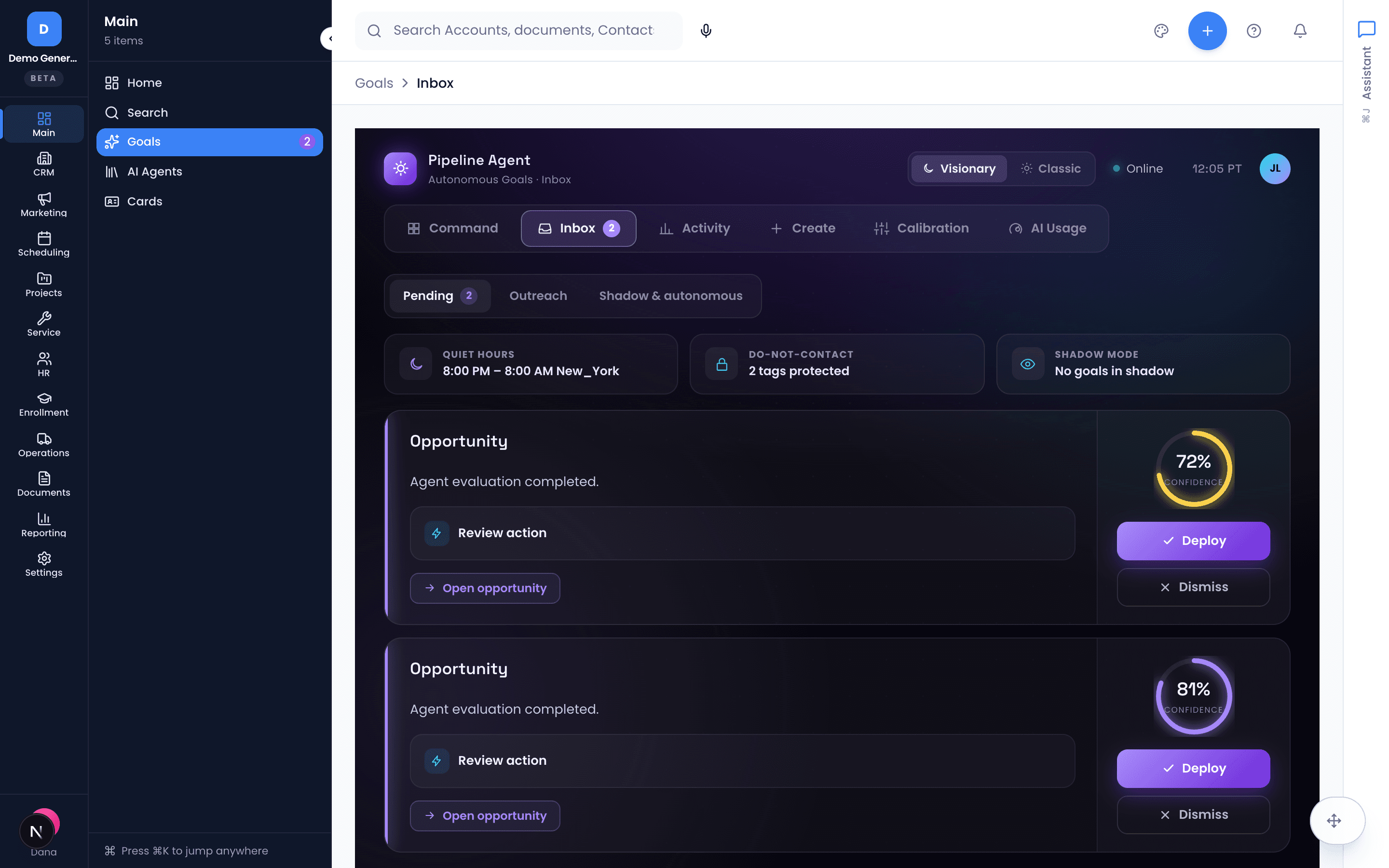
- Nothing external — email, task, record change — happens without operator action
- Approve-draft actions show exactly what will change before it changes
- Teams can graduate specific loops past propose-only — explicitly, per loop, when they’re ready
- Every run is inspectable: status, outcome, cost, and the evidence it acted on
Guardrails, budgets, and health you can actually read
The AI OS surface shows every active loop in business language: follow-ups in queue, promises tracked, stale quotes flagged, noisy alerts dismissed. Guardrails control what each loop may propose; usage limits cap spend and run counts.
Loops are configured with your Vertiqa team during onboarding; day-to-day teams work the Command Center and rarely touch the admin surfaces.
- Per-loop guardrails: approval rules and data-scope controls
- Spend and run-count ceilings keep AI activity inside operating budgets
- Loop health in plain language — no ML jargon to decode
- Recent-activity feed shows the last runs with status, outcome, and cost
Asked plainly
Does Vertiqa send follow-ups on its own?
No — by design. AI loops produce drafts and proposals only; the approval queue is the gate. When something drifts, Vertiqa drafts the follow-up and puts it in front of a person with a before/after preview. Nothing external sends without operator action.
How does it know something was dropped?
Recurring checks (sweeps) watch for the gap between what should be happening and what actually is: a promised quote with no activity logged, a lead with no next step, a deal going quiet near its close date, a meeting that was never rescheduled, a blocked task in front of a deadline. Each alert arrives with the evidence that triggered it — last contact date, deal stage, the original promise — so you can verify before acting.
What if it gets noisy?
Every alert rule carries a noise level showing its false-positive rate, and dismissing an alert with a reason feeds tuning. You can tighten age thresholds or narrow a sweep to specific pipeline stages before ever disabling a rule. Spend and run-count ceilings keep the whole system inside budgets you set.
Do I have to configure all of this myself?
No. Loops are configured with your Vertiqa team during onboarding, and the detailed policy, budget, and schedule administration lives in admin surfaces most teams never need to open. Day to day, your team works one queue: the Command Center.
Dig into the details
Every claim on this page is documented in the help center.
Related: CRM · AI Assistant · AI Receptionist · CRM for consulting firms
Stop paying for dropped balls.
Thirty days, every tool, no credit card. Set up your pipelines, let the sweeps run, and see what’s been slipping.
Every tool included. No credit card needed.