Marketing overview
What the Marketing area does — campaigns, audience segments, a content calendar, LinkedIn social and pipeline attribution — who can use it, and how launching stays behind approval.
Marketing is where you plan campaigns, decide who they go to, schedule the content around them and see which ones led to booked revenue. Nothing in Marketing sends on its own: launching a campaign or publishing a post always goes through an approval first.
Marketing is turned on per organization. When it's on, its pages are under Marketing in All tools: Campaigns, Segments, Content Calendar, Social and Attribution. Pin the ones you use to your sidebar.
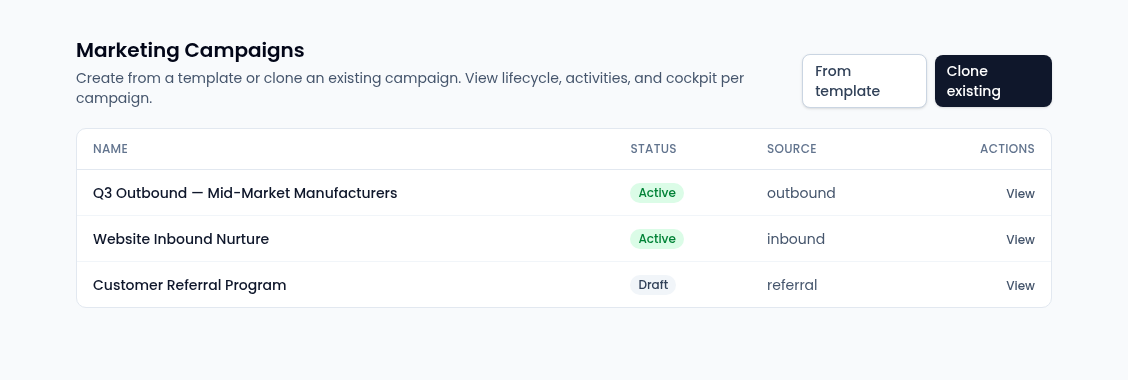
The five pages
- Campaigns (
/marketing-campaigns) — start a campaign from a template or by cloning one, follow its performance, and move it through its lifecycle. See Create a campaign. - Segments (
/marketing-segments) — saved audiences built from contact, account and opportunity fields, either kept up to date or frozen as a snapshot. See Build a segment. - Content Calendar (
/marketing-content-calendar) — one board for scheduled email sends, page launches, campaign milestones and social posts, with what still needs approval. See The content calendar. - Social (
/marketing-social) — compose, schedule and track posts for a connected LinkedIn company page. See Social posts. - Attribution (
/marketing-attribution) — which campaigns and sources led to won deals. See Attribution.
How a campaign comes together
- Start the campaign from a template or a clone. There's no blank campaign: a template brings its channel activities with it.
- Decide who it's for with a segment.
- Plan the content on the content calendar, and draft copy with AI content assist on the campaign page.
- Get it approved. Launching a campaign is an approval in the Command Center, and a social post is submitted for approval before it's published.
- Watch the results on the campaign page and in Attribution.
Who can use it
Marketing is for owners and admins. The pages and their Kernel APIs check these permissions, which owners and admins have by default:
- Manage marketing campaigns (
marketing.campaign.manage) — campaigns, social, attribution and reading the content calendar. - Manage marketing segments (
marketing.segment.manage) — creating and changing segments. - Manage the content calendar (
marketing.content_calendar.manage) — rescheduling and changing calendar items.
Give other roles these permissions in Permissions if they run marketing too.
Simple and Full mode
The content calendar follows your experience mode: in Simple mode it shows this week's scheduled content, approval needs and theme gaps without the view switcher or filters. The other Marketing pages look the same in both modes.