Define the outcome. Agents pursue it — on your leash.
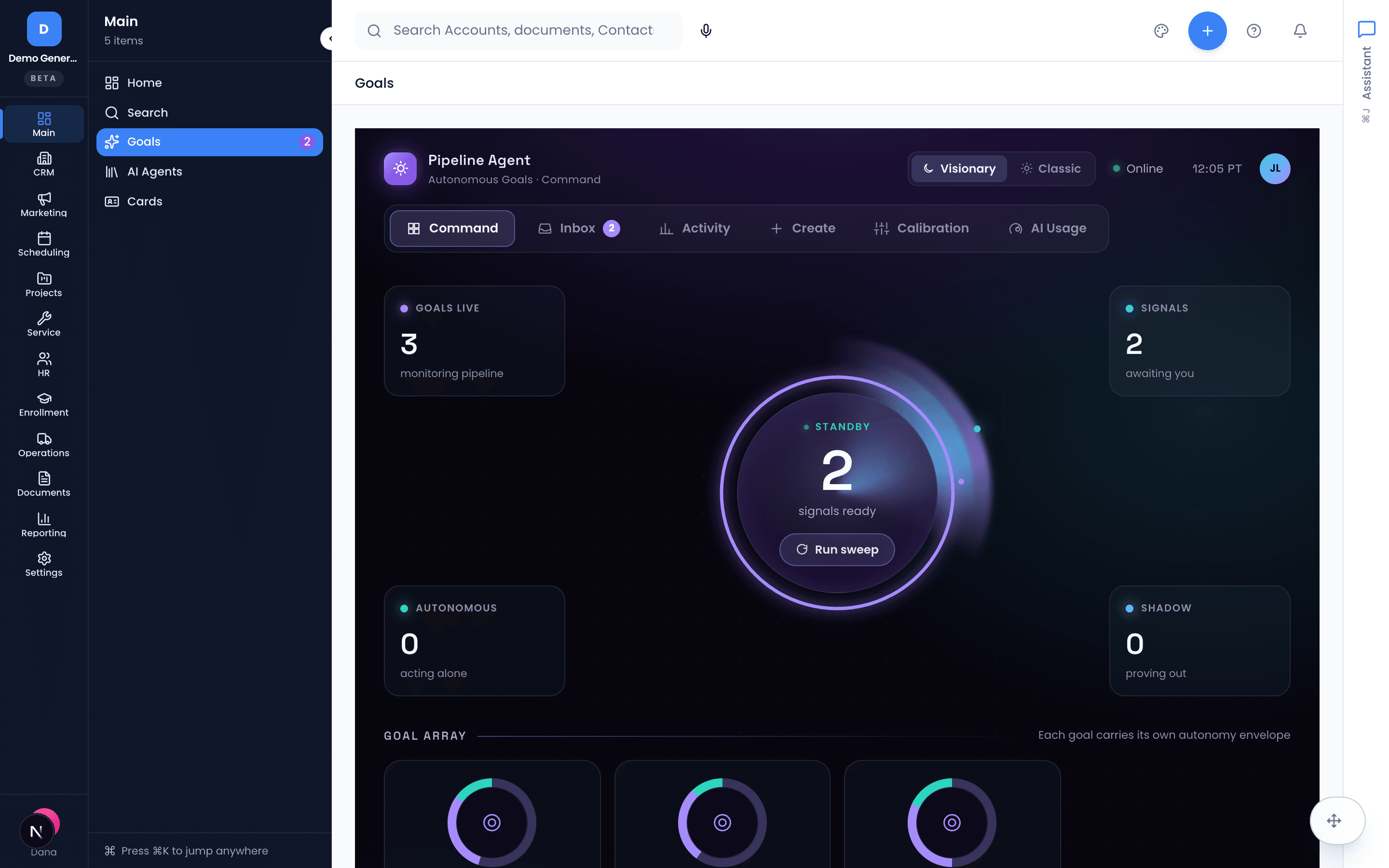
A goal is a rule an agent watches your CRM with: “re-engage leads silent for 7 days,” “alert on past-due opportunities.” You set how much autonomy each goal gets, review proposals in one inbox, and inspect whether the AI’s confidence actually deserves your trust.
No credit card needed
Describe it like you’d tell an employee
Create a goal from a template — re-engage silent leads, alert on past-due opportunities — or write it in plain language and Vertiqa parses it into a structured, editable rule: the entity it watches, the condition that triggers it, the actions it may take, and the filters that scope it.
- Three-step wizard: Describe → Refine → Set thresholds
- Watch leads, opportunities, tasks, and more with conditions like silence thresholds and approaching close dates
- Sweep all goals on demand, or run one goal across its matching records
- Edit conditions, actions, filters, and thresholds in place
Autonomy is a dial, not a leap of faith
Every proposal carries a confidence score, and a threshold bar splits behavior into three zones you control: Advisory (suggest only), Supervised (prepared for one-click approval), Autonomous (act and log). Start strict; loosen as trust builds — and trial any new goal in shadow mode, where it records what it would have done without acting at all.
Autonomous actions skip human review — reserve that zone for internal, reversible actions with a proven Supervised track record.
- Advisory → Supervised → Autonomous zones, boundaries set by you per goal
- Shadow mode evaluates and records without ever acting or asking
- Guidance built in: keep anything customer-visible in Advisory
- New goals marked Collecting/Warming until calibration data exists
Every proposal, one review queue
Advisory and Supervised proposals land in the inbox first: which goal generated it, what it wants to do (“draft email to John Smith”), and Approve/Reject buttons. Every rejection is a calibration data point — the agent learns your judgment.
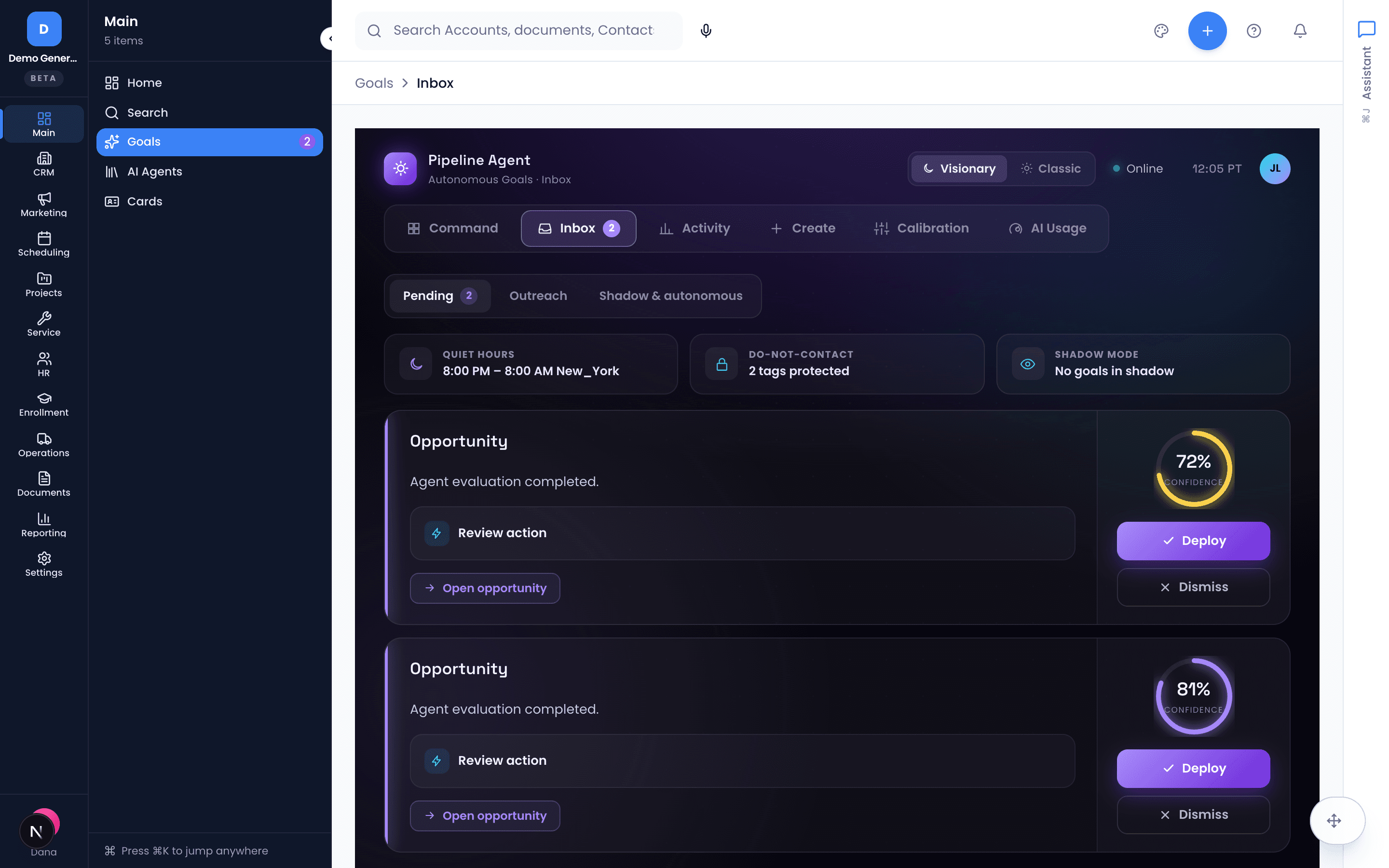
- Pending, History (with who decided), and Shadow tabs
- Proposal cards show the goal, the action, and the target record
- Auto-refreshes every 30 seconds
- Rejects feed calibration — saying no makes it smarter
Trust, measured — not marketed
The calibration dashboard answers the question every AI vendor dodges: when this goal says 85% confident, is it right 85% of the time? A reliability diagram, Expected Calibration Error with trend, and precision/recall by routing zone — org-wide or per goal.
- Reliability diagram: ten confidence buckets vs actual hit rate
- ECE single-number summary with a 7/14/30-day trend
- Precision and recall broken down by routing zone
- Cold-start gate: Collecting → Warming → Calibrated, labeled honestly
Spend caps and a paper trail, built in
A per-organization monthly token budget and hourly evaluation rate limit keep agent compute inside bounds — with skipped evaluations shown by reason, not hidden. The activity log records every agent run and every human decision, chronologically.
- Monthly token budget with consumption percentage
- Skipped evaluations by reason: budget exceeded, rate limited, no matches
- Audit trail of agent runs and human approvals — who, what, when
- Consistently over budget? The fix is a narrower filter, not a bigger bill
Asked plainly
What exactly is a goal?
A rule that lets an agent watch your CRM and act on records matching a condition — “draft a follow-up when a lead has gone silent for 7 days,” “alert on past-due opportunities.” You create one from a template or by describing it in plain language, which Vertiqa parses into a structured, editable configuration: entity type, condition, actions, filters.
How much can the agent do without me?
Exactly as much as you allow, per goal, on a threshold bar with three zones. Advisory: it suggests; nothing happens until you approve. Supervised: it prepares the action for one-click approval in your inbox. Autonomous: it acts and logs — recommended only for internal, reversible actions after a goal has a consistent Supervised track record. There’s also shadow mode, where a goal evaluates and records what it would have done without ever acting — the zero-risk way to trial a new rule.
How do I know the confidence scores mean anything?
The calibration dashboard measures it: a goal that says 85% confident should be right about 85% of the time, and the reliability diagram plus Expected Calibration Error show whether that holds. New goals are explicitly marked Collecting or Warming until enough data exists — the numbers are labeled noisy until they aren’t, and every rejection you make is a calibration data point the agent learns from.
What stops this from burning through AI spend?
A per-organization monthly token budget and an hourly evaluation rate limit, with a dashboard showing consumption and every skipped evaluation by reason (budget exceeded, rate limited, no matches). And when a goal keeps hitting its budget, the fix is usually a narrower filter — not a bigger budget.
Dig into the details
Every claim on this page is documented in the help center.
Related: Follow-Up Tracking · Workflows & Automations · AI Assistant
Outcomes, pursued continuously. Control, kept entirely.
Thirty days, every tool, no credit card. Write your first goal in plain language and watch it work in shadow mode before it touches anything.
Every tool included. No credit card needed.