Client onboarding guide
Onboard a consulting client with clear owners and one source of truth
A step-by-step client onboarding pattern that connects relationship context, delivery tasks, and shared client visibility.
- For
- Consulting operations teams and engagement managers
- Content review
- Reviewed September 24, 2026
What this workflow produces
The internal team and client know who owns each next step, while approvals and sensitive context remain controlled.
Step by step
Build the operating thread
- 1
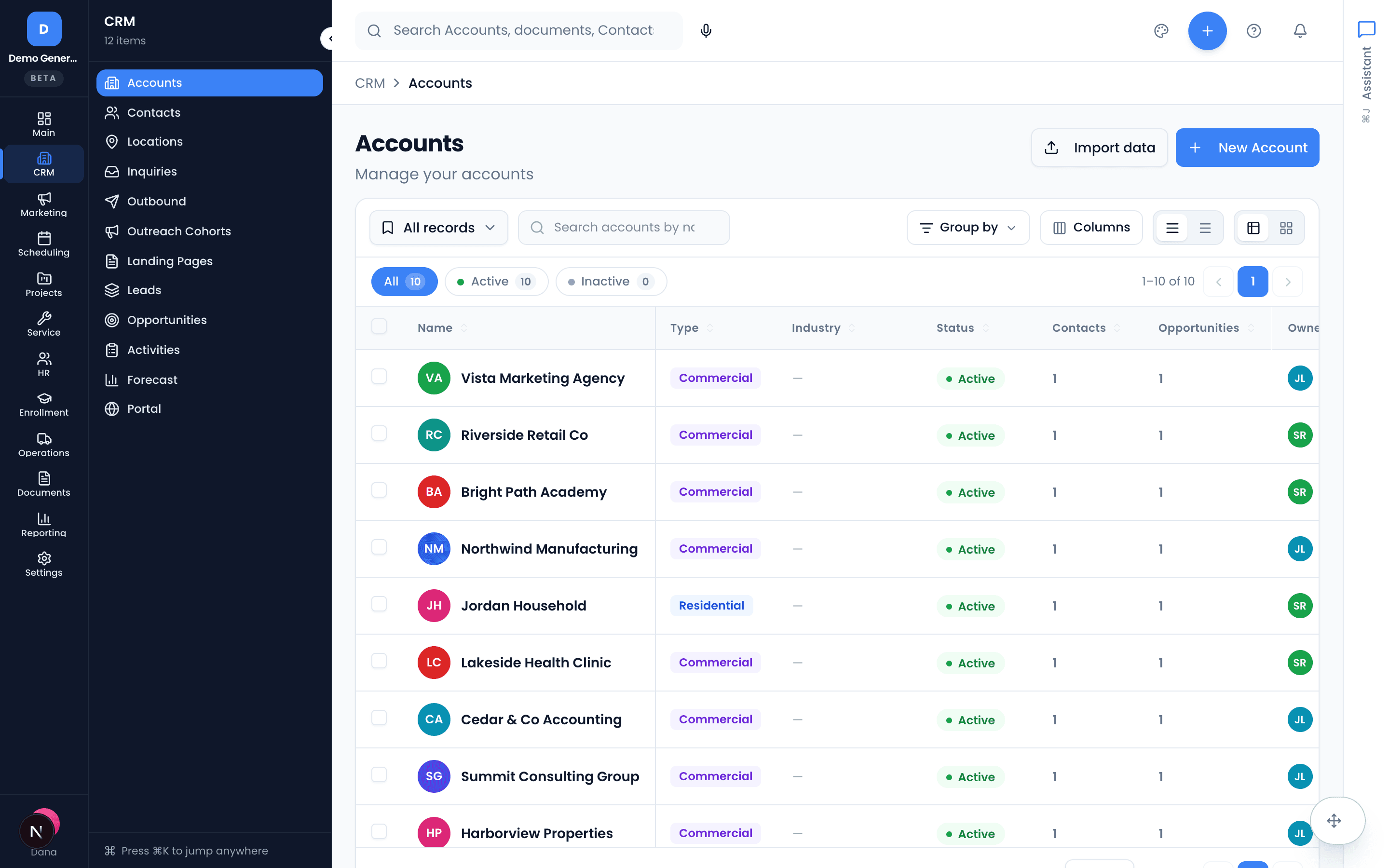
Confirm the client account and stakeholders
Start with one account record. Add decision-makers, day-to-day contacts, and the internal relationship owner, then check for duplicates before inviting anyone.
Vertiqa handles
Vertiqa connects the people, opportunity, activity history, and later delivery records to the same account.
Your team reviews
The engagement owner verifies stakeholder roles, permissions, and contact information.
- 2
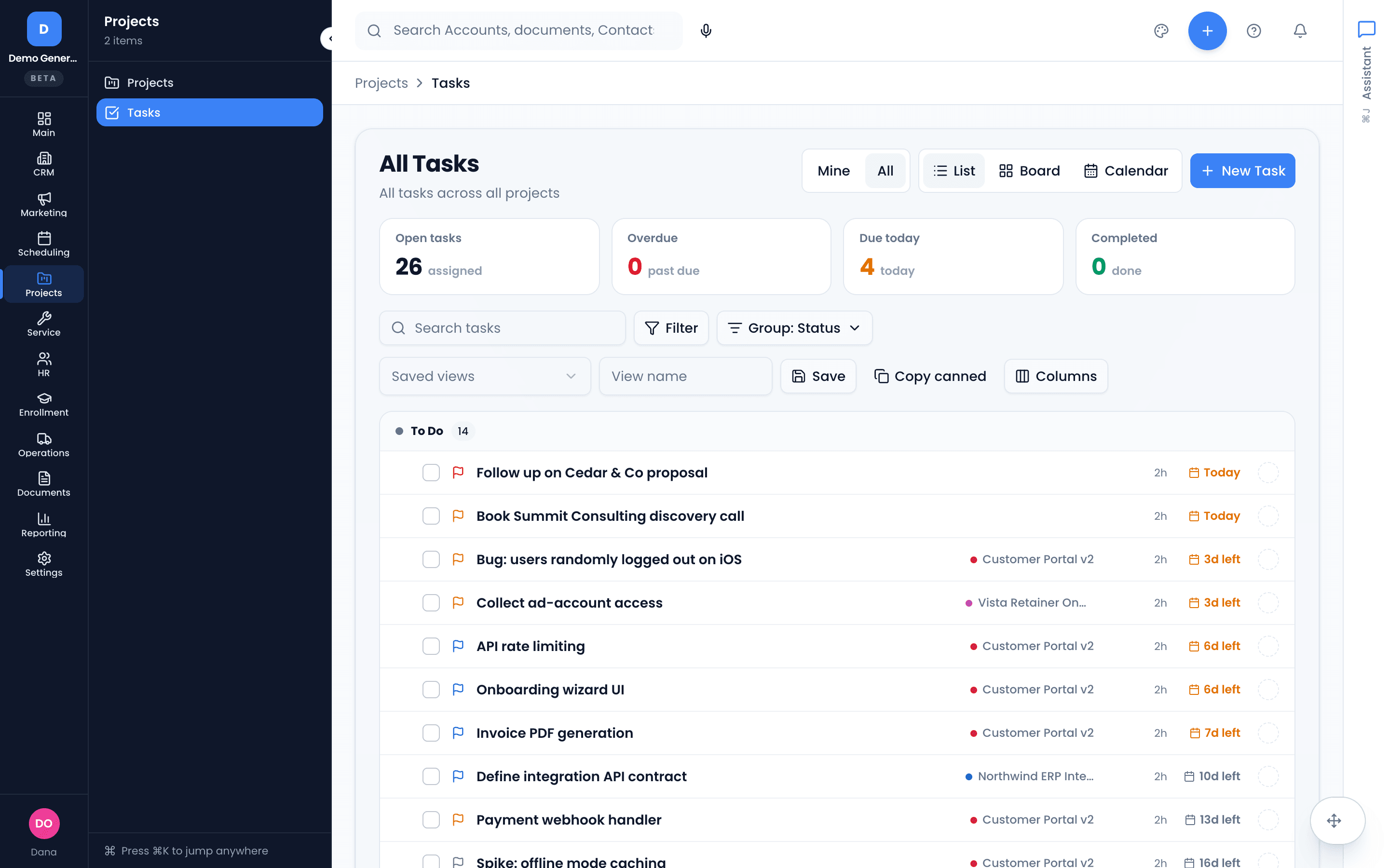
Create the onboarding project and checklist
Translate the approved scope into a project with dated tasks for kickoff, access, discovery inputs, and the first delivery milestone.
Vertiqa handles
Assigned work and status provide a shared internal view of onboarding progress.
Your team reviews
A human confirms the checklist matches the signed scope and removes any task that is not appropriate for this client.
- 3
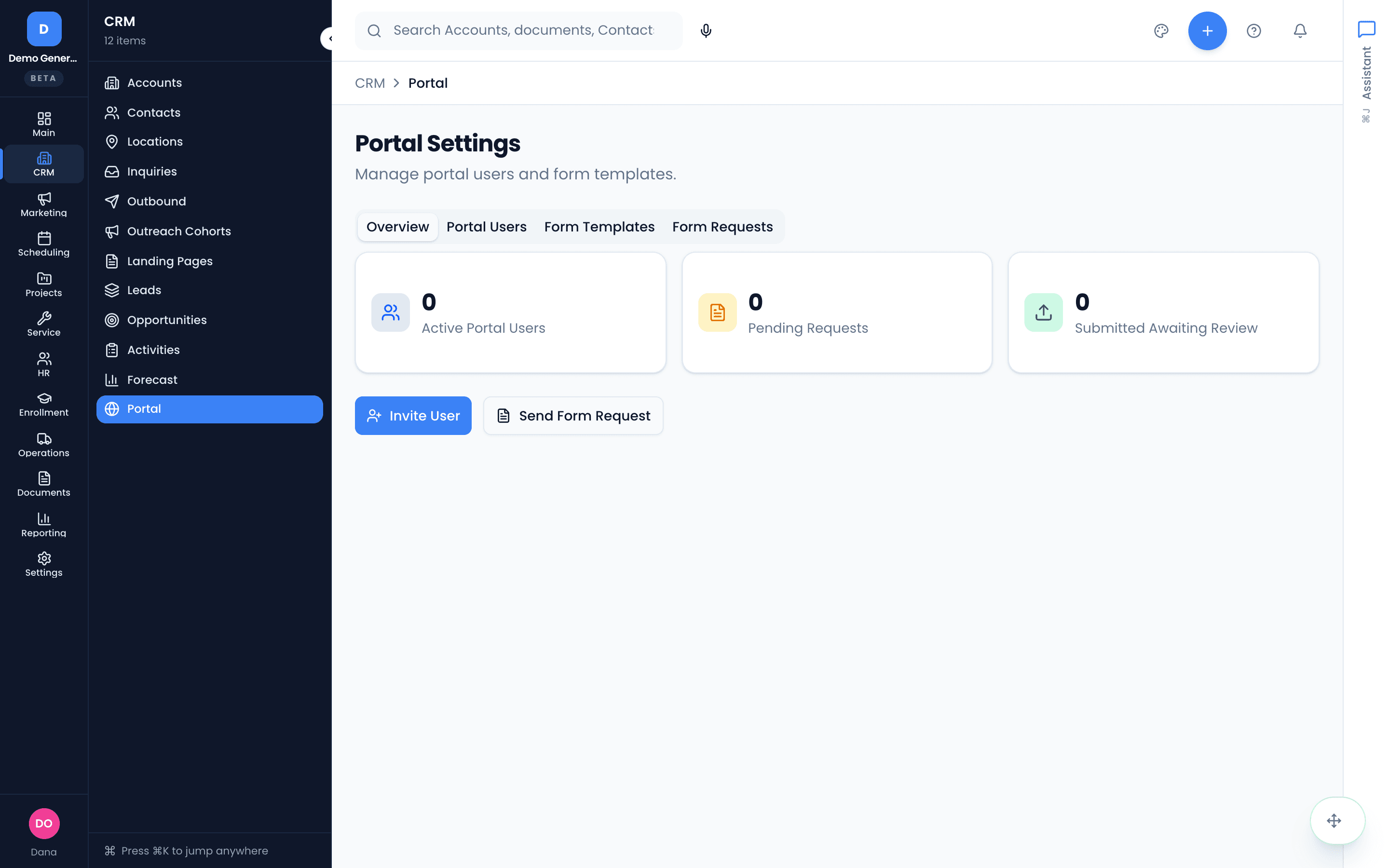
Choose what the client can see
Use the client portal for the records and updates the client should access. Keep internal notes and unapproved drafts in the internal workspace.
Vertiqa handles
The portal provides a focused client view without requiring the client to navigate the full internal system.
Your team reviews
You approve portal access and check every shared item for the right audience before publishing it.
- 4
Run kickoff and assign the next actions
Record kickoff decisions, assign owners and due dates, and confirm the next client checkpoint. Resolve missing inputs as explicit tasks rather than leaving them in meeting notes.
Vertiqa handles
Vertiqa keeps the resulting work visible and tied to the engagement.
Your team reviews
The engagement lead reviews the recap, responsibilities, dates, and any client-facing message before it is sent.
See the workflow in Vertiqa
Automation with a clear review boundary
Vertiqa keeps onboarding work connected and can prepare the team for the next step. You approve client access, external communication, scope changes, and all commitments after human review.