Intake that runs itself — reviewed before it lands.
Give clients a portal where they fill out forms and receive documents on their own time — while every submission passes through your review queue before it touches the CRM. Self-serve for them; controlled for you.
No credit card needed
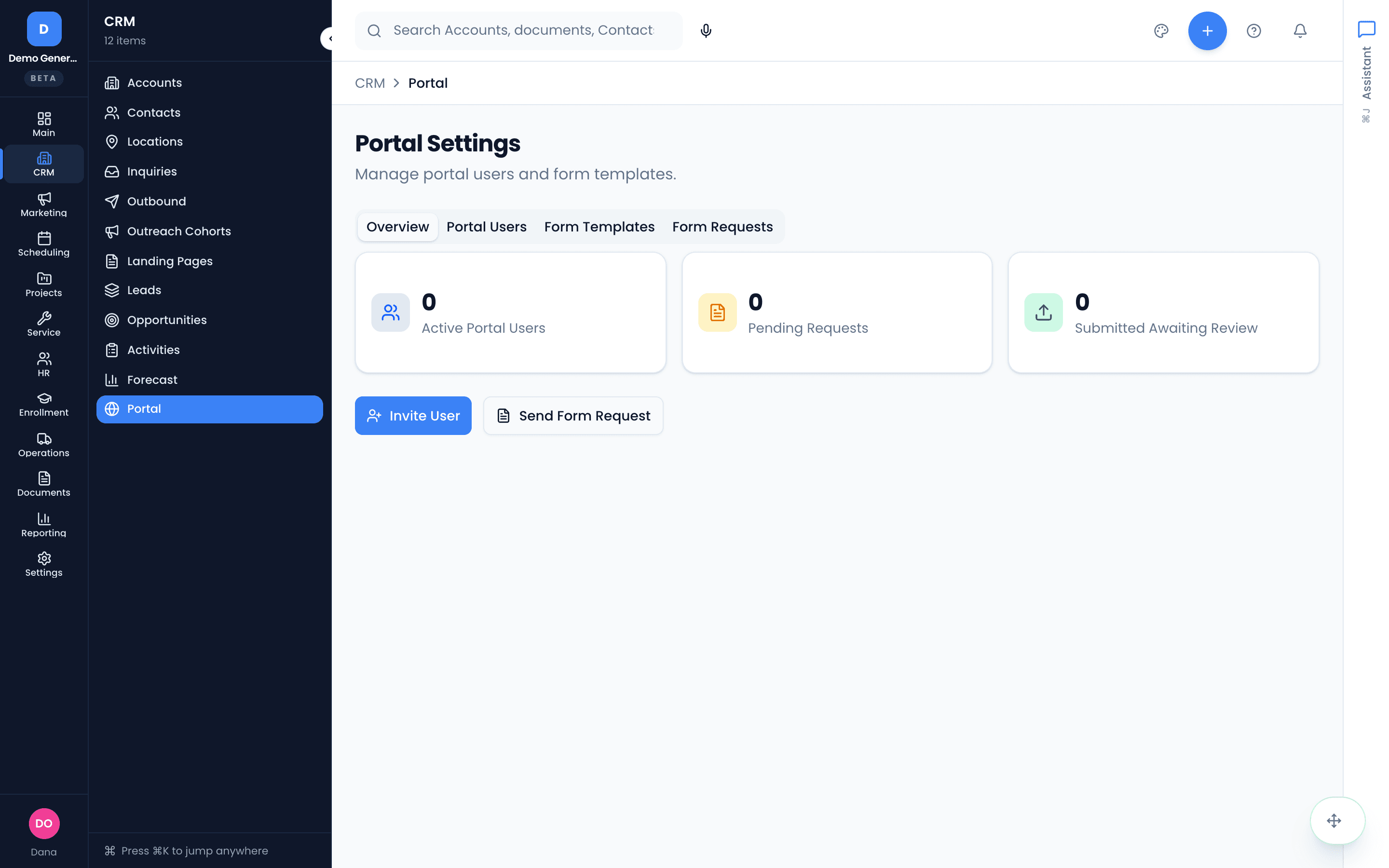
You decide exactly who gets a door
Invite a contact and they get portal credentials by email. Suspend access without losing history, reactivate later, resend a lost invitation, or remove permanently — all gated behind a dedicated portal-manage permission so access control stays with the right people.
- Invite by contact; credentials delivered by email
- Suspend (history preserved) vs remove (permanent) — your call
- Overview KPIs: portal users, active form templates, outstanding requests
- Management actions gated by the portal-manage permission
Stop chasing paperwork
Send a form request and it greets the client on their next sign-in — intake questionnaires, detail updates, document checklists. Templates are inspectable field-by-field with a live preview before you send, so you always know exactly what the client will see.
- Send form requests to any portal user
- Read-only template viewer with fields table and live preview
- Outstanding requests tracked on the overview
Nothing enters your CRM unreviewed
Every submission lands in a two-panel review: the submitted form on the left, your reviewer tools on the right. Flag fields with annotations, leave notes, approve to feed the CRM — or send it back, with your flags visible to the client so they know exactly what to fix.
- Flag individual fields with an annotation explaining the problem
- Approve → data feeds the CRM record; Request changes → form re-opens for the client
- Version history compares every prior submission
- Reviewer notes for context that isn’t tied to one field
One library, deliberate sharing
Files uploaded against a contact, account, opportunity, or job all live in one cross-record library. Each document carries an explicit share toggle controlling whether the client sees it in their portal — sharing is a per-file decision, never a default.
The library is contact-first by design — you browse documents through the customer they belong to, not an “everything everywhere” view.
- Upload, download, rename, move between records, delete — each with its own permission gate
- Contact-first browsing with debounced search
- Per-file portal sharing via an explicit toggle
Asked plainly
What can my clients actually see?
Only what you deliberately share. Portal access is invitation-based per contact, form requests appear on their next sign-in, and documents are visible in the portal only when you flip the share toggle on that specific file. Your pipelines, notes, and internal records are never exposed.
Do client submissions go straight into my CRM?
Not without review. Every form submission lands in a review queue where you see the submitted form read-only, can flag individual fields with an annotation explaining what needs to change, and either approve — feeding the data into the CRM record — or request changes, which sends it back to the client with your flags visible. Version history keeps every prior submission for comparison.
Can I revoke a client’s access?
Yes, two ways: suspend (access revoked, history preserved, reactivate anytime) or remove (permanent). Suspending is usually right — it keeps the submission history intact. Portal management actions are gated behind a dedicated portal-manage permission, so not everyone on your team can touch access.
How does document sharing work?
Files live in a cross-record documents library — uploaded against a contact, account, opportunity, or job — and each document has an explicit share toggle controlling whether that contact sees it in their portal. Sharing is per-file and deliberate, never bulk-default.
Dig into the details
Every claim on this page is documented in the help center.
Related: CRM · Service Desk · Quoting & Invoicing · CRM for consulting firms
Three days of intake in thirty minutes.
Thirty days, every tool, no credit card. Send your first form request today and stop re-typing what clients already told you.
Every tool included. No credit card needed.