Email tracking
Turn open, click and bounce tracking on or off for your organization's outbound email, and decide whether recipients in the EU and UK are tracked.
Email tracking decides whether outbound email reports back when it's
opened, when a link is clicked, and when it bounces. Open Settings → Email
Tracking (route /settings/email-tracking). You need permission to manage
the team to change it, and it applies to everyone in your organization.
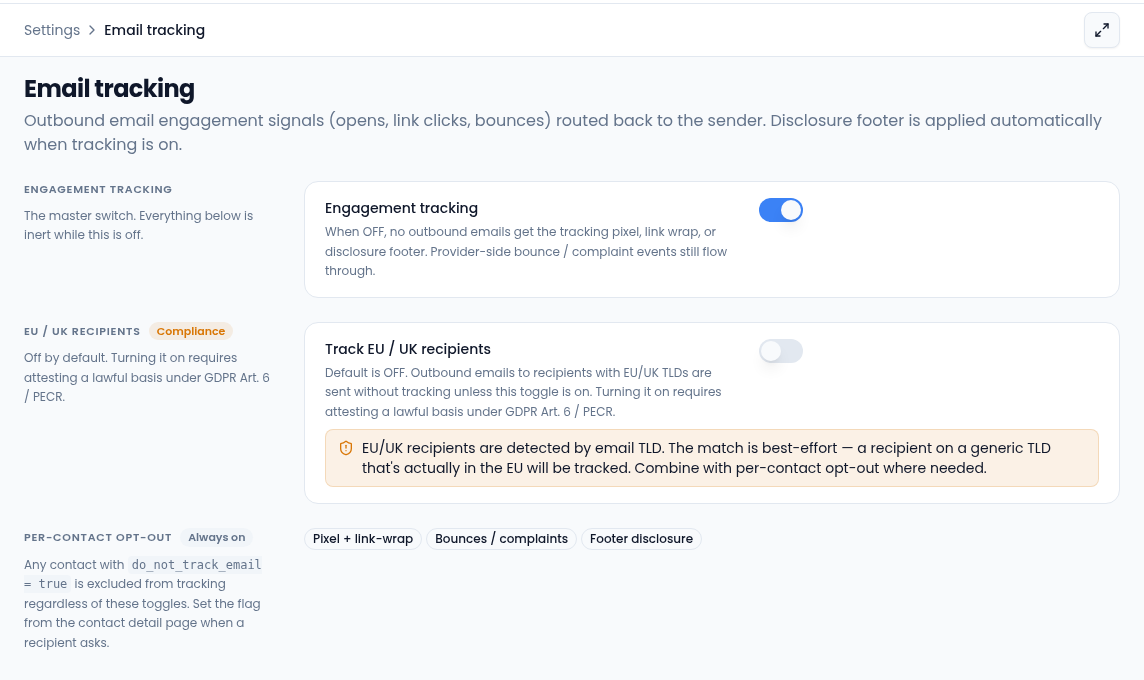
Engagement tracking
Engagement tracking is the main switch. When it's on, outbound emails get a tracking pixel, wrapped links and a short disclosure footer, and opens and clicks show up for the sender. When it's off, none of that is added, though bounces and complaints reported by the email provider still come through.
EU and UK recipients
Track EU / UK recipients is off by default, so emails to addresses with an EU or UK domain are sent without tracking. To turn it on:
-
Switch on Track EU / UK recipients.
-
Read the notice, then tick the box confirming your organization has a documented lawful basis for tracking EU and UK recipients.
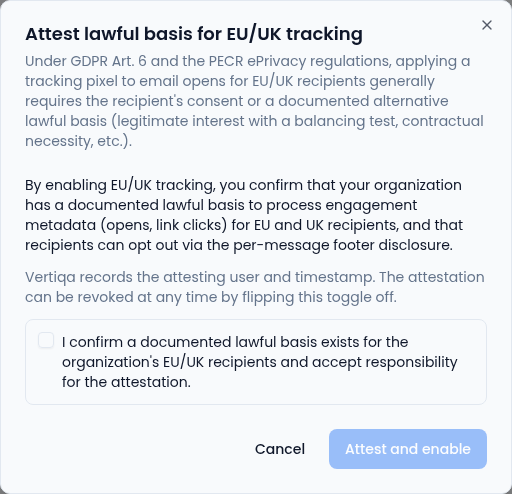
Vertiqa records who attested and when. -
Select Attest and enable.
The page then shows when it was last attested. Turn the switch off at any time to stop tracking these recipients.
Recipients are matched by their email domain, so this is best-effort: someone
in the EU using a generic domain such as .com is still tracked.
Per-contact opt-out
A contact marked Don't track email opens and clicks is never tracked, whatever these switches say. Emails to them are still sent, just without a tracking pixel or wrapped links. To set it for one contact:
- Open the contact and select Edit contact.
- Tick Don't track email opens and clicks.
- Select Save Changes.
The contact's details then show Email tracking as Off for this contact. Untick the box to track them again. You need permission to edit contacts.