AI provider
Choose whether your organization's chat prompts are processed by Azure OpenAI or IBM watsonx; every change is audited.
Reviewed AdminVertiqa 1.75+
AI Provider sets which AI provider processes your organization's chat
prompts: Azure OpenAI or IBM watsonx. Without a setting, your
organization uses Azure OpenAI. Open Settings → AI Provider (route
/settings/ai-provider). Only Owners and Admins can use this page.
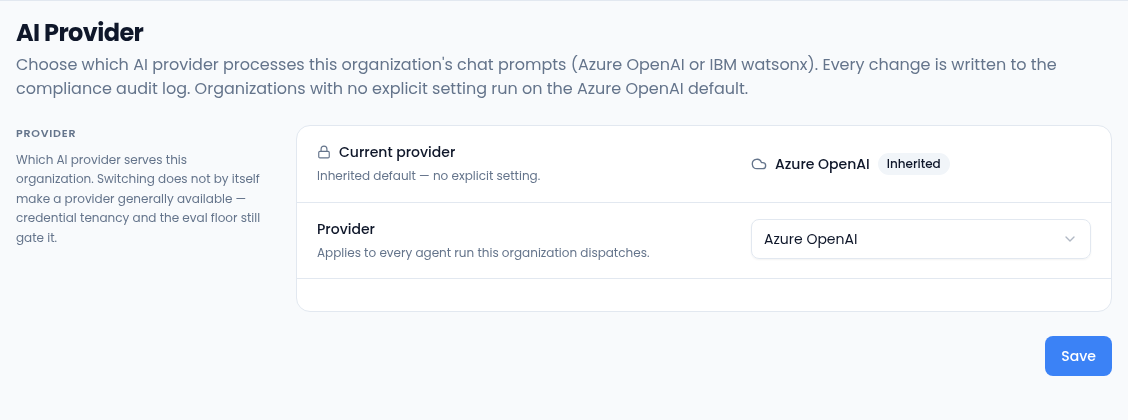
What's on the page
- Current provider is the provider in use, marked Inherited (the default) or Explicit (set by your organization).
- Provider is where you choose a different one. Select Save to apply it. Saving the current provider makes it an explicit setting.
Switch to IBM watsonx
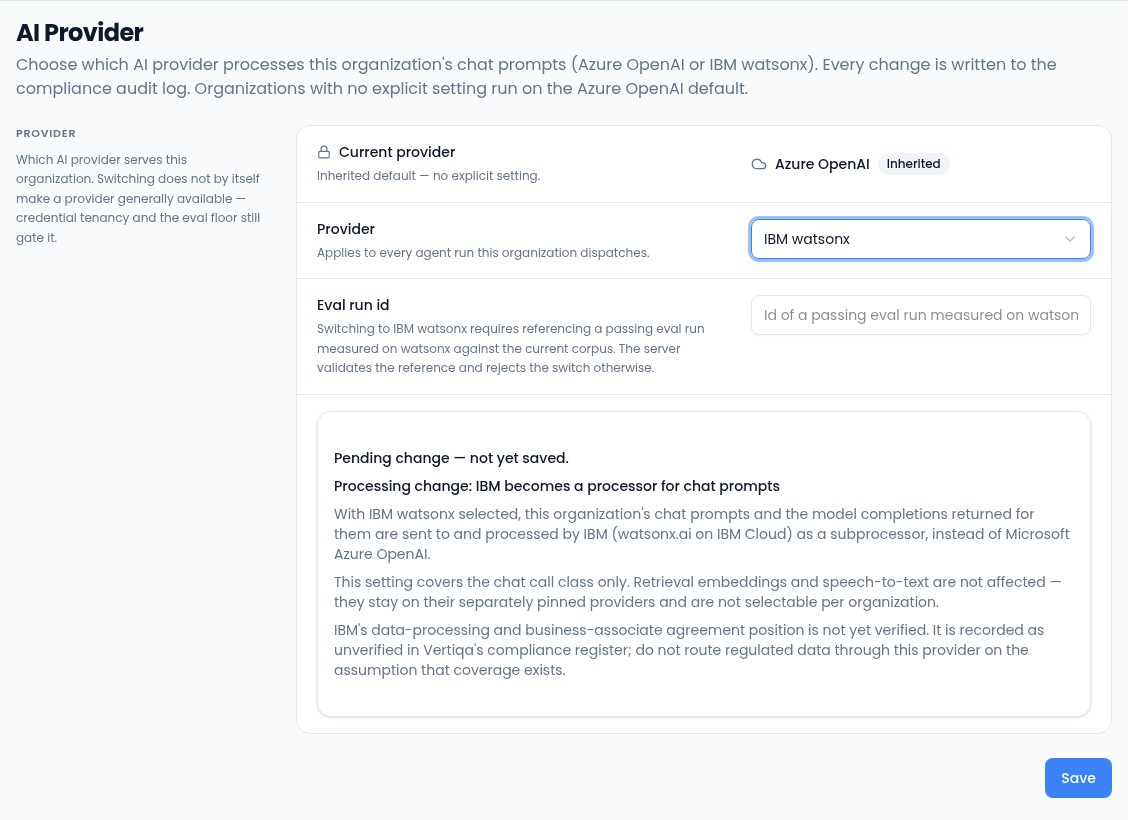
- Choose IBM watsonx.
- Enter the Eval run id: the ID of a passing evaluation run measured on watsonx. The switch is rejected without a valid one.
- Read the notice. It explains that prompts and replies would be processed by IBM instead of Microsoft, and that IBM's data-processing agreement isn't verified yet, so regulated data shouldn't go through it.
- Select Save. If the switch is rejected, the page says why and your organization stays on its current provider.
The setting covers chat only. Search embeddings and speech-to-text stay on their own providers. Every change is written to the compliance audit log.