First response
Set how quickly each kind of inquiry should get a first reply, and the acknowledgment and check-in messages that go with it.
Reviewed AdminVertiqa 1.75+
First response sets how fast you aim to answer a new inquiry on each
channel, and what your first reply says. Open Settings → First Response
(route /settings/first-response).
Set a channel's threshold and template
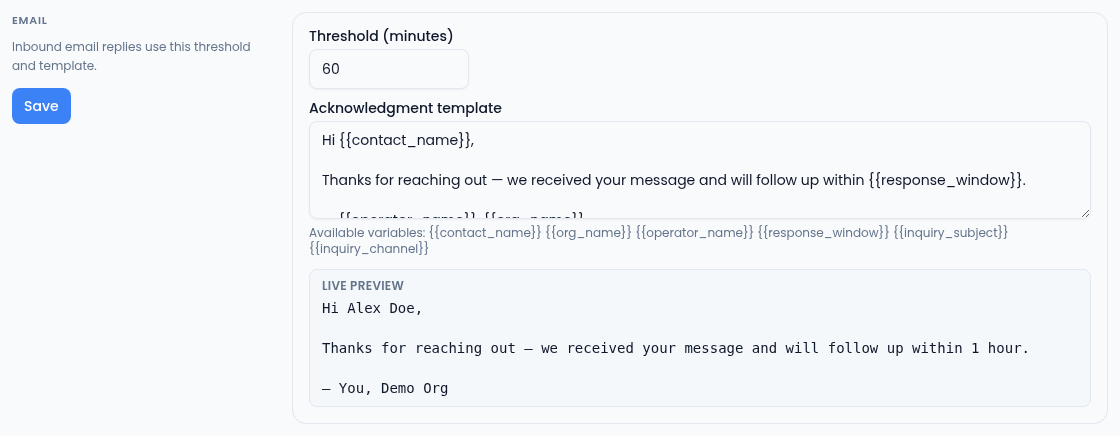
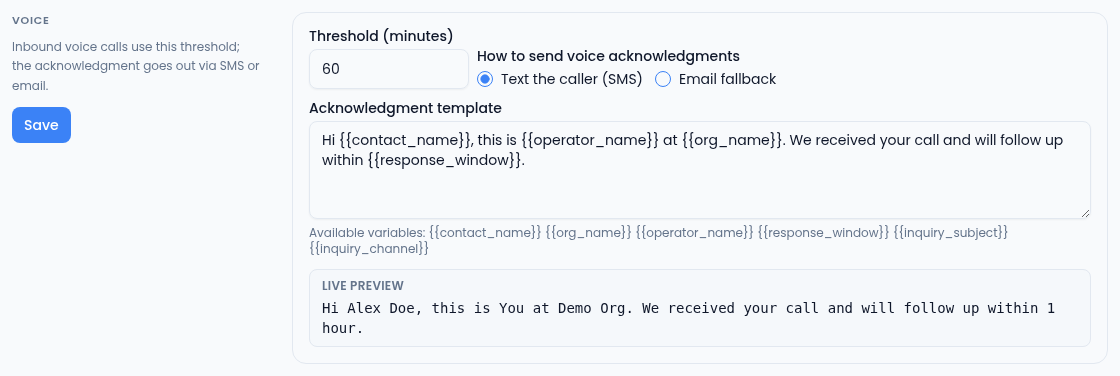
There's a section each for Email, Conversion page (form submissions on your landing pages) and Voice (inbound calls).
- Set the Threshold (minutes), from 1 to 1,440. An inquiry that isn't answered within it counts as late.
- Write the Acknowledgment template: the first reply sent when someone
acknowledges the inquiry. You can use
{{contact_name}},{{org_name}},{{operator_name}},{{response_window}},{{inquiry_subject}}and{{inquiry_channel}}. Anything else is flagged as an unknown variable. - Select that section's Save.
For Voice, also choose How to send voice acknowledgments: Text the caller (SMS) or Email fallback.
Follow-up timing and check-ins
- Cadence trigger window is read-only: an acknowledged inquiry that gets no further reply can start a follow-up cadence 48 hours later. Set the follow-ups themselves in Cadence templates.
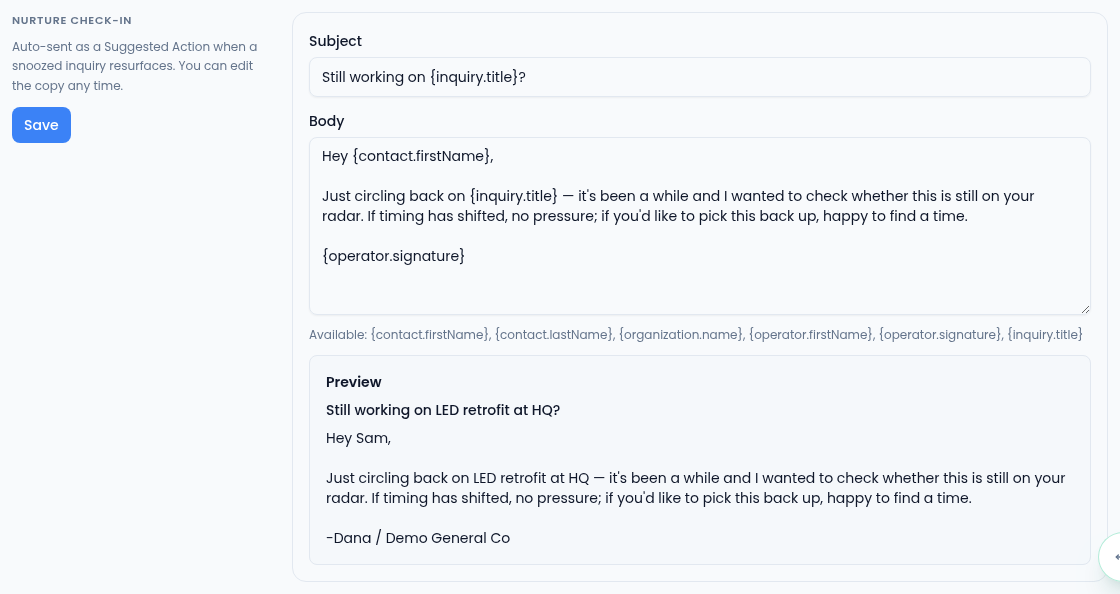
- Nurture check-in is the message suggested when a snoozed inquiry comes back. Edit the Subject and Body, using the variables listed under the box, and select Save.