Resource library
Keep a list of approved links, such as guides, checklists and proposals, that your team can send from Draft Assist replies.
Reviewed AdminVertiqa 1.75+
The resource library is a list of approved links your team can attach
to a reply, so everyone sends the same guide or checklist. Open Settings →
Resource Library (route /settings/resource-library).
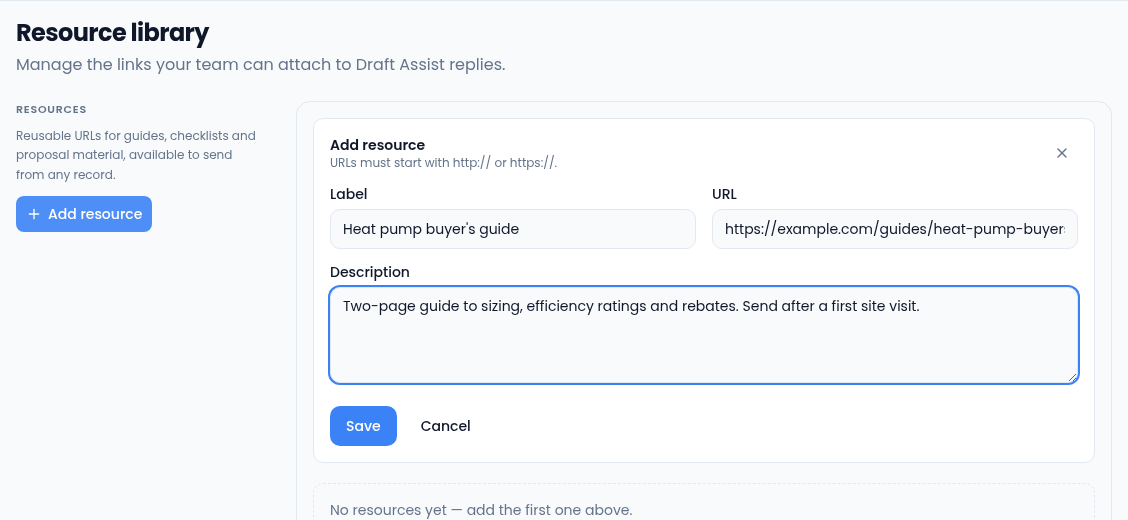
Add a resource
- Select Add resource.
- Enter a Label (up to 200 characters) and the URL.
- Add a Description so your team knows when to use it (up to 2,000 characters).
- Select Save.
Each resource in the list shows its label, domain and description. Use the pencil to edit one or the bin to delete it.
Send a resource
When you edit a Draft Assist reply on an inquiry or a lead, open the Resource library picker, search for the link and pick it. Only links on this list can be sent this way.