Cadence templates
Set up the follow-up emails sent, with approval, when an acknowledged inquiry goes quiet before a booking or proposal.
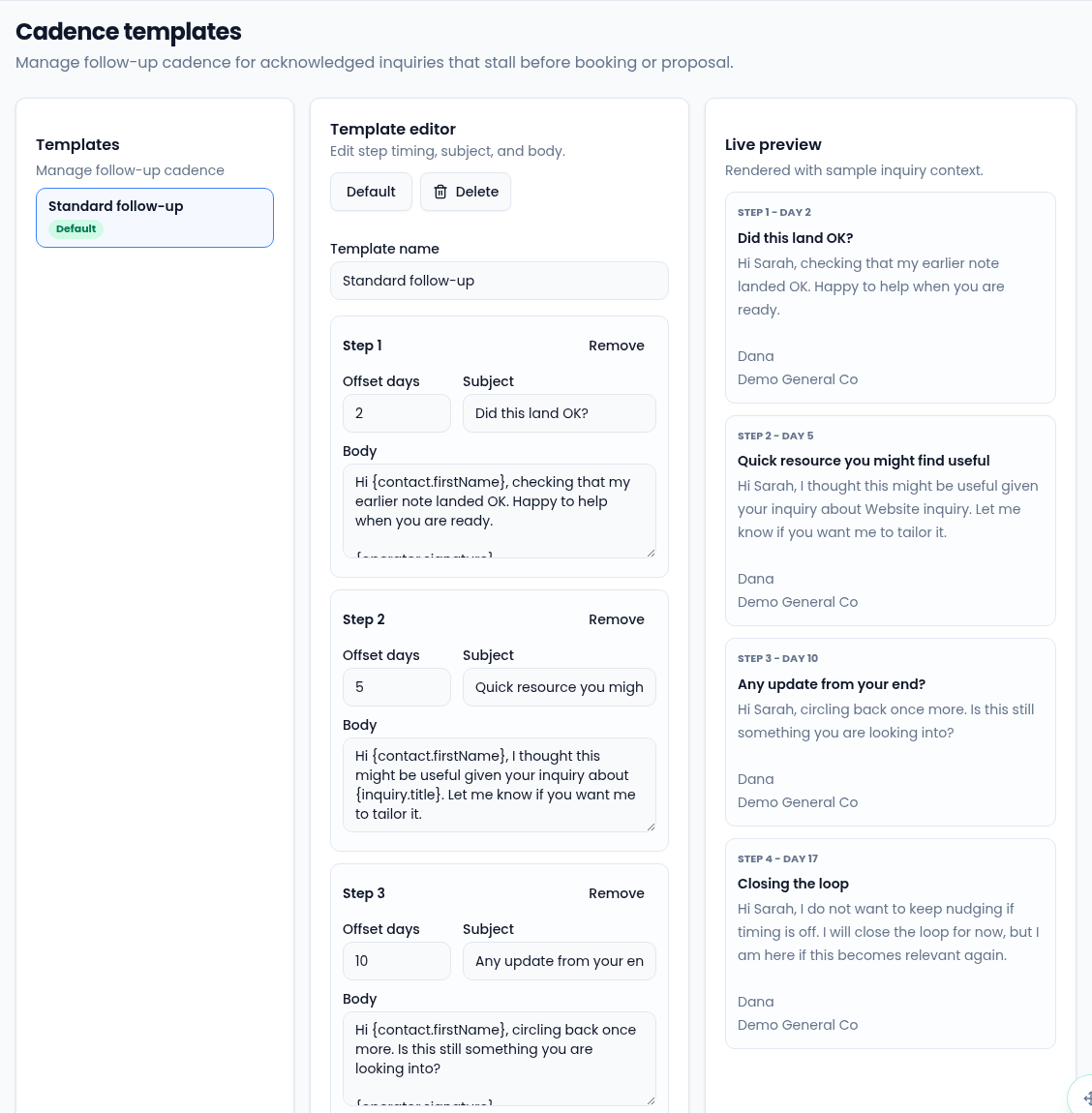
A cadence is a short series of follow-up emails for an inquiry you've
acknowledged that hasn't moved on to a booking or proposal. Set them up in
Settings → Cadence Templates (route /settings/cadence-templates).
How a cadence starts
The Default template starts by itself when an inquiry has been acknowledged for 48 hours with no further reply, unless it's snoozed or a proposal or booking is already on it. Each step waits for someone to approve, skip or snooze it before it's sent. If there's no default, a notice says so, and nothing starts automatically.
Edit a template
- Select the template on the left.
- Change the Template name.
- For each step, set the Offset days (from 0 to 365), the Subject
and the Body. Use
{contact.firstName},{inquiry.title}and{operator.signature}to personalize it. An unknown merge tag is flagged. - Select Add step to add one, or Remove to drop one. A cadence needs at least one step.
- Select Save.
Default makes the selected template the one that starts automatically. Delete removes a template; past runs stay visible.