What a Vertiqa implementation involves
The concrete shape of a client rollout — workspace setup, pipelines and statuses, users and roles, calendar, data import, and the first workflow — and why a small team can be live in days.
A Vertiqa implementation is configuration work, not a software project. There's no environment to provision, no schema to design, and no code to write. For a small team, that means going live in days, not months — the timeline is set by how ready the client's data and process are, not by build effort.
Below is the shape most rollouts follow. You can do these in roughly this order, and you don't have to finish all of them before the client starts working — the workspace is useful as soon as there are people and a pipeline in it.
The shape of a rollout
-
Stand up the workspace. Create the organization. It comes with Vertiqa's cross-industry core already in place and starter pipelines and statuses seeded, so there's a working system from minute one. See Sign up and create your organization.
-
Shape pipelines and statuses. Adjust the sales pipelines and stages and task statuses to match how the client actually sells and delivers. If the client is in a supported vertical, start from a pipeline pack rather than building from scratch.
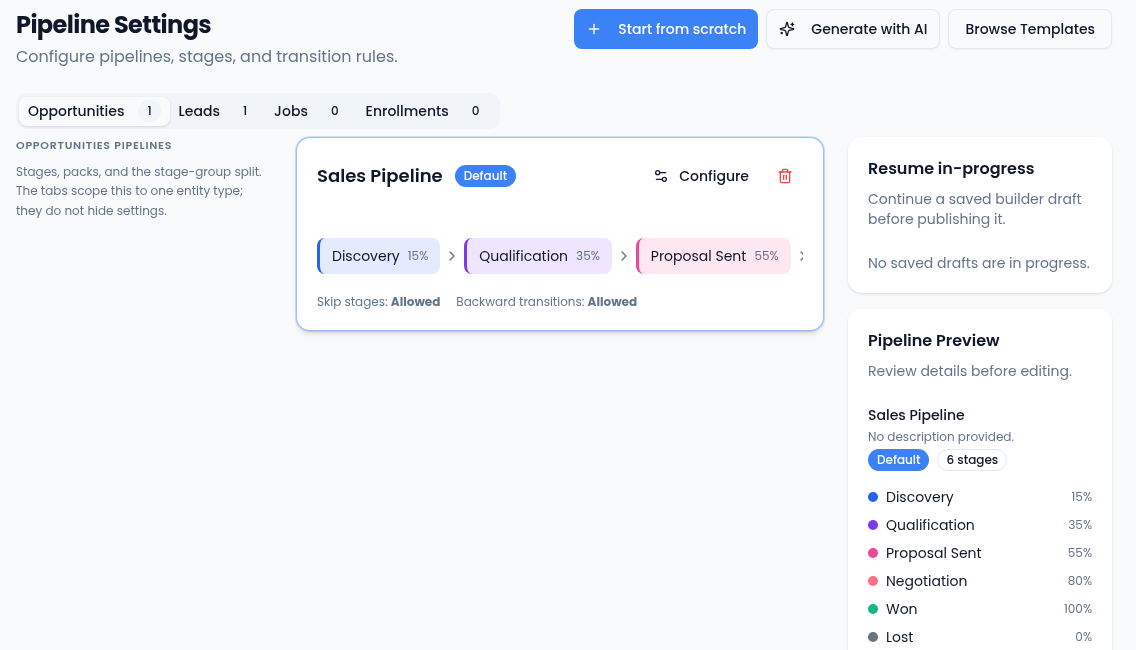
Settings → Pipelines: start from scratch, generate with AI, or browse templates. -
Add users and set roles. Invite the team and assign roles and permissions so each person sees and does only what they should. Group people into teams where the client's structure calls for it.
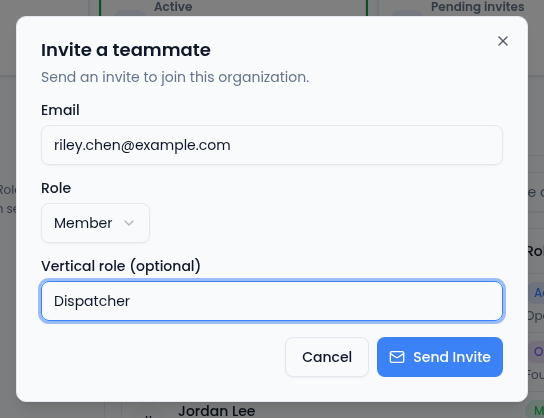
Settings → Team → Invite Member: each invite carries a role. -
Connect calendars. Have each user connect their calendar (Settings → Calendar) so Scheduling offers real availability and meetings sync both ways.
-
Bring in existing data. Import the client's current contacts and accounts. See Migrating a client onto Vertiqa for exactly what the import supports.
-
Configure the first workflow. Turn on the one or two workflows or automations that match a real recurring task — for example, routing an inbound inquiry. Start narrow; add more once the team trusts the first one.
What "done enough to start" looks like
The client is operational once there are people, a pipeline, and their existing contacts in the workspace. Calendars, workflows, branding, and the finer configuration can land in the first week while the team is already using the system. Resist the urge to configure everything up front — the workspace fills in as real work comes through it.
Why it's fast
Because tailoring is configuration, not customization, there's no per-client engineering in the critical path. Every client runs on the same continuously updated platform, so an implementation is a matter of setting the right options — not shipping software.