Instruments overview
Instruments are versioned, hashed scoring definitions that turn a fixed set of inputs into the same reviewable result every time — available to organizations with the Instruments feature enabled.
An instrument is a scoring definition your organization publishes once and then runs many times: a fixed list of inputs, a fixed calculation, and a fixed set of outputs. Given the same inputs, a published instrument always produces the same result — and every result keeps a record of exactly which version produced it.
Use instruments when a score has to be defensible: a readiness assessment, a qualification score, a risk band, a simple financial projection. Anything where someone may later ask "why did this come out that way, and had the rules changed since?"
Instruments are feature-flag gated. The Instruments entry appears under Settings only when the instrument platform has been enabled for your organization, and the platform refuses instrument requests from organizations where it is off. If you do not see it and you think you should, contact your Vertiqa administrator — it is not something you can turn on from Settings.
Instruments are a Full mode surface. The only place instrument content appears in Simple mode is the result card on a record that was evaluated.
The vocabulary
- Instrument — the definition as a whole, identified by a stable key
(lowercase, e.g.
readiness-assessment) and an optional display name. The key never changes. - Calculation profile — the engine the instrument is scored by, chosen when
you create it and fixed thereafter. Each profile carries one kind:
- Weighted scorecard v1 → kind
assessment - Financial projection v1 → kind
projection - Weighted signal model v1 → kind
signal_model
- Weighted scorecard v1 → kind
- Version — one immutable revision of the rules, written as a JSON
definition envelope with its own semantic version (
1.0.0,1.1.0, …). A version isdraft,published, orretired. Exactly one version of an instrument can be published at a time. - Definition hash — the canonical fingerprint of a version's content, computed when you validate it. Approvals are bound to this hash, so an approval can never silently carry over to edited rules.
- Run — one evaluation. A run records its inputs as a snapshot, the version and hashes it used, the engine version, its outputs, its reason codes, and a full evaluation trace.
- Result — the outputs of a completed run. A subset marked safe for workflow (whole numbers, yes/no values, and choice codes — never free text) is what other parts of Vertiqa are allowed to read.
A worked example
Say you want every inbound enquiry scored for readiness before someone calls it.
-
Create an instrument with key
readiness-assessmenton the Weighted scorecard v1 profile.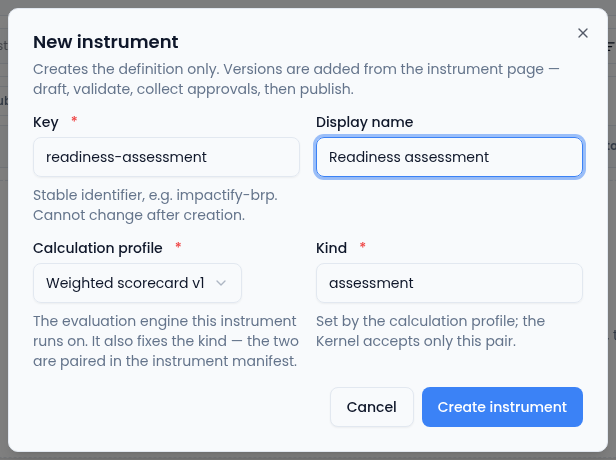
The kind follows from the profile, so you never set it yourself. -
Author version
1.0.0: declare the inputs (say five rated questions), the weights, the bands the total falls into, and the outputs — a band code (band_a,band_b, …), a numeric score, and any narrative text. -
Validate it, collect the approvals the definition requires, and publish it.
-
Bind it to the conversion page that collects those five answers, so every submission is evaluated automatically.
-
Operators see the band and the reasons on the record; you see the full run, including the trace, in the run inspector.
Later you change a weight. You create version 1.1.0, validate, re-approve,
and publish. 1.1.0 becomes live and 1.0.0 is retired — not deleted.
Every result produced by 1.0.0 still points at 1.0.0 and its hash.
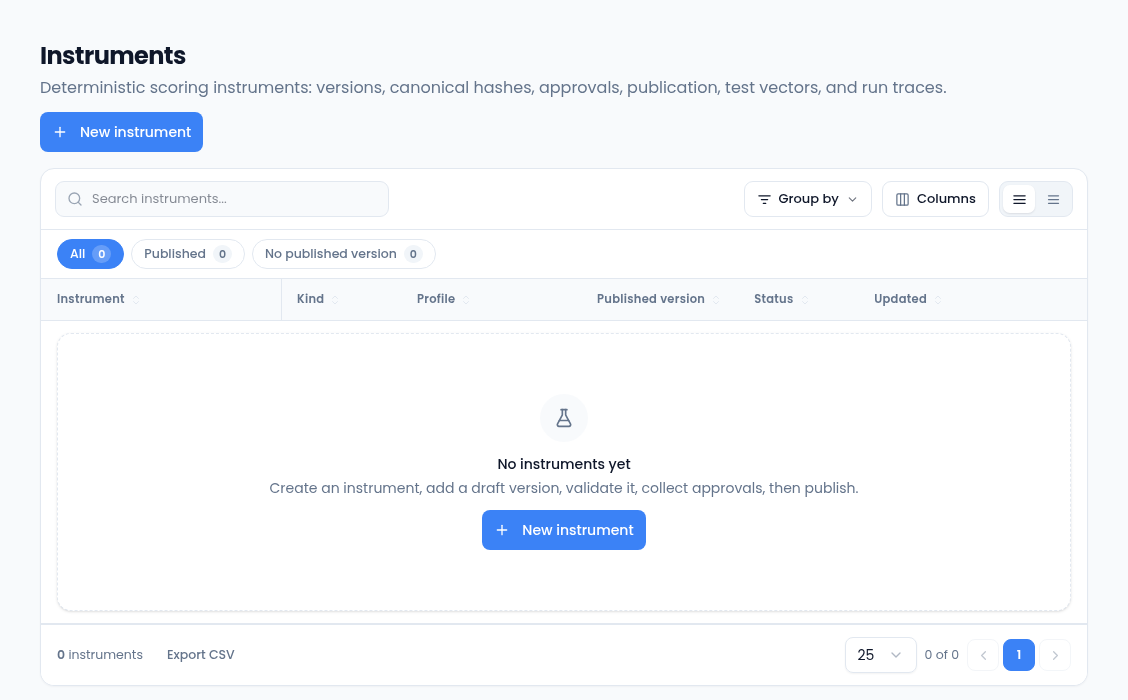
Where instruments live
| Surface | Route | What it is for |
|---|---|---|
| Instrument library | Settings → Instruments | Every instrument, its published version, status, and hash. |
| Instrument detail | Settings → Instruments → <instrument> | Authoring, validation, approvals, publication, test runs, and recent runs. |
| Run inspector | opened from any run row | One run: outputs, reason codes, hashes, trace, re-run, snapshot deletion. |
| Result card | CRM opportunity detail | The plain-language result for people working the record. |
Who can do what
Instrument access is permission-based, and the defaults are deliberately narrow because instruments are configuration, not daily work:
- View instruments — read definitions, versions, approvals, runs, and results. Owner, admin, and manager by default.
- Run instruments — create runs, re-run, and evaluate from a workflow. Owner, admin, and manager by default.
- Manage instruments — create instruments, write and edit drafts, edit the snapshot format, delete a run's snapshot. Owner and admin by default.
- Approve instruments — record an approval against a validated draft. Owner and admin by default.
- Publish instruments — publish and retire versions. Owner and admin by default.
- Compliance approval — a separate role granted to nobody by default; it exists for definitions that require a compliance sign-off.
Members and read-only users hold none of these.
What instruments deliberately do not do
- They never change a record on their own. A run produces a result; anything that happens next happens through a workflow you built.
- They never publish free text into automation. Only the workflow-safe outputs can be read by a workflow or shown on a Simple-mode card.
- They never overwrite history. Editing means a new version; withdrawing means retiring one.