Score a conversion page submission with an instrument
Bind a published instrument version to a conversion page's submission routing so every response is scored, and use the resulting run to start a workflow.
A published instrument becomes useful when something feeds it. The most direct route is a conversion page: bind the page's form fields to the instrument's declared inputs, and every submission is evaluated as it arrives.
Binding does not change what a submission creates. Routing still creates the lead, contact or ticket it created before; the instrument adds an evaluation alongside it.
This requires the Instruments feature to be enabled for your organization, and a published version to bind to.
Bind the instrument
In the page builder, open the Handoff tab for the draft you are working on and find the Instrument section under Submission binding, beneath the confirmation settings.
-
Instrument version — pick a published version. The page pins that exact version, so its scoring cannot change under you. If the list is empty, publish a version first in Settings → Instruments.
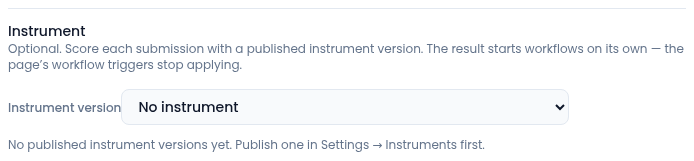
Until a version is published, the list only offers No instrument. -
Fill every input — each input the version declares gets one row with one source. Choose either:
- a form field on this page, or
- a page value: page slug, submission id, or a program or cohort key pinned on the page.
One input has exactly one source, so an input cannot accidentally be filled twice.
-
Fix anything flagged. Problems are shown in plain language beside the input they belong to, for example "The form has no field called consent" or "The answer type does not match what score expects."
Remove instrument clears the binding entirely.
A worked example
A page collects five rated questions and a yes/no consent answer, and creates a
lead. You bind version 1.0.0 of readiness-assessment, map each rated
question to the input with the matching id, map the page slug to the
instrument's source_page input, and publish. From then on, each submission
creates its lead and produces a run whose band and reasons are visible on the
record and in the instrument's run history.
Keeping the pin current
Because the page pins one version, publishing a newer instrument version does not silently change what the page scores. Instead the builder tells you:
- Pinned version was retired — the page pins a version that a newer publication retired. Publishing the page is blocked until you act. Re-pin to v<newer> carries your input mappings across; any input the new version dropped is then flagged on its own row. Leaving the pin alone keeps the page live and scoring exactly as it does today.
- Pinned version is not published — the pinned version no longer exists in a publishable state. Pick a published version or remove the instrument.
The publish check runs again on the server, so a pin that is stale or belongs to another organization is refused there even if the builder looked happy.
Not every instrument can run on a page
A public page is an anonymous surface, and some calculation profiles are not eligible for it. If you see "This kind of instrument cannot run on a public page", the instrument is the wrong kind — projections run from a workflow or from the instrument library, never from an anonymous submission. Changing the version will not help; choose a different instrument.
What happens after the run
When a page has an instrument bound, the page's own workflow triggers stop applying. The run takes over as the trigger: instead of "a submission arrived", your automation reacts to "the evaluation finished" — which is the point at which the score exists.
The Instrument group in the workflow builder offers:
- Triggers — Instrument run completed and Instrument run failed. You can filter by instrument key, snapshot source, or the conversion page. The trigger carries the entity, the status, the instrument key, the reason codes, the source entity, and the workflow-safe outputs — never the raw answers, the precise outputs, or the trace.
- Actions — Evaluate instrument, which creates a run for a referenced opportunity, contact or submission against a pinned version; and Email readiness snapshot, which sends the governed report for a completed run (recipients and content are decided by policy, not by the workflow node).
A typical automation: trigger on Instrument run completed, filtered to your instrument key; branch on the band in the safe outputs; assign an owner and create a task for the top band, send a nurture email for the rest.
Runs created this way appear in the instrument's Recent runs with source Conversion page.