HR overview
The people side of Vertiqa — an employee directory, a time-off approval queue, and balance snapshots you keep current.
HR keeps track of the people who work here and the time they take off. It's a directory and a leave workflow, not a payroll system: Vertiqa doesn't run pay, and it doesn't accrue leave for you.
HR is part of Full mode. Find Employees, Time Off and Balances
under HR in All tools, and pin the ones you use to your sidebar. The HR
home page is at /hr; the HR breadcrumb at the top of each HR list opens it.
The HR home page
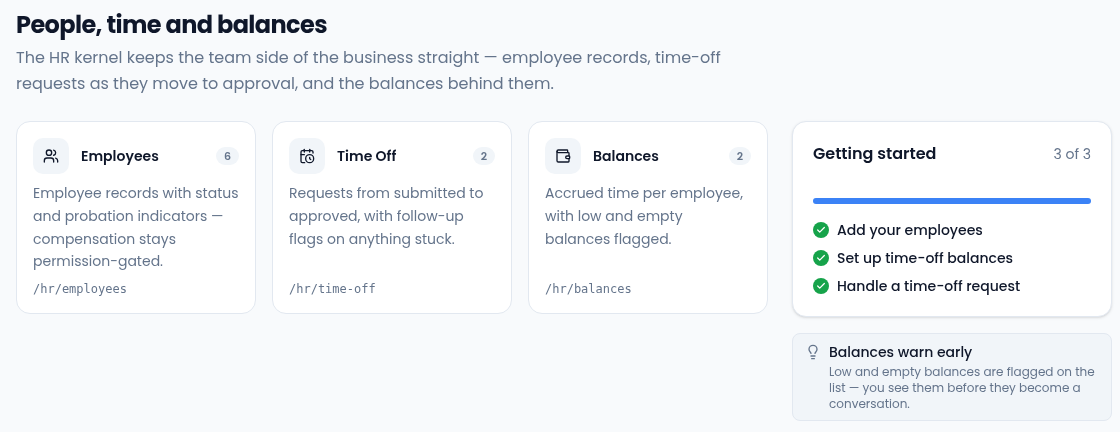
The home page has a card for each list, with a count, and a Getting started checklist. The checklist ticks itself from your real data, so a step only shows as done once the records exist:
- Add your employees on Employees.
- Set up time-off balances on Balances.
- Handle a time-off request on Time Off.
The same steps appear under HR in the Setup guide at the top of the app.
The three lists
- Employees (
/hr/employees) — one record per person, with status, department, employment type and, for permitted roles, compensation. Open a person to see their employee record. - Time Off (
/hr/time-off) — leave requests and the approval queue. Each request is Pending until someone approves, declines or cancels it. Open one to decide it. - Balances (
/hr/balances) — accrued, used and available hours for one employee, one type of leave and one period. You keep these numbers current.
How they fit together
Every time-off request and balance belongs to an employee. When someone needs leave, a request is raised for them and an approver decides it. Approving a request doesn't change any balance: after you approve leave, update the matching balance's used hours yourself.
Who can do what
HR data is sensitive, so what you see depends on your role:
- Owners and admins see and manage everyone's records, including compensation.
- Managers can add and edit employees and approve or decline time off for their direct reports. They see their own and their reports' requests and balances, but not compensation.
- Members can see the directory, submit their own time off, and see their own requests and balances.
The manager and own-record rules use two fields on each employee record: their Manager, and their Linked user, the Vertiqa account they sign in with. Anyone who can edit employees sets them; see Manager and linked user. If a control you expect is missing, or a list is empty when you know records exist, ask an admin to check your role and that your employee record is linked to your account.
Ask Vee
You can ask Vee to approve, decline or cancel a time-off request, for example "Approve Sam's vacation next week." Vee prepares the change and nothing happens until you select Confirm. The same approval rules apply. See Tell Vee to do things.