Employee details
One person's HR record — their details and pay, hire, leave and termination, and their balances and recent time off.
Reviewed AdminVertiqa 1.54+
Open a person from Employees to see their record. It keeps everything HR knows about them on one page: who they are, where they are in the hire lifecycle, and their time off.
Details and compensation
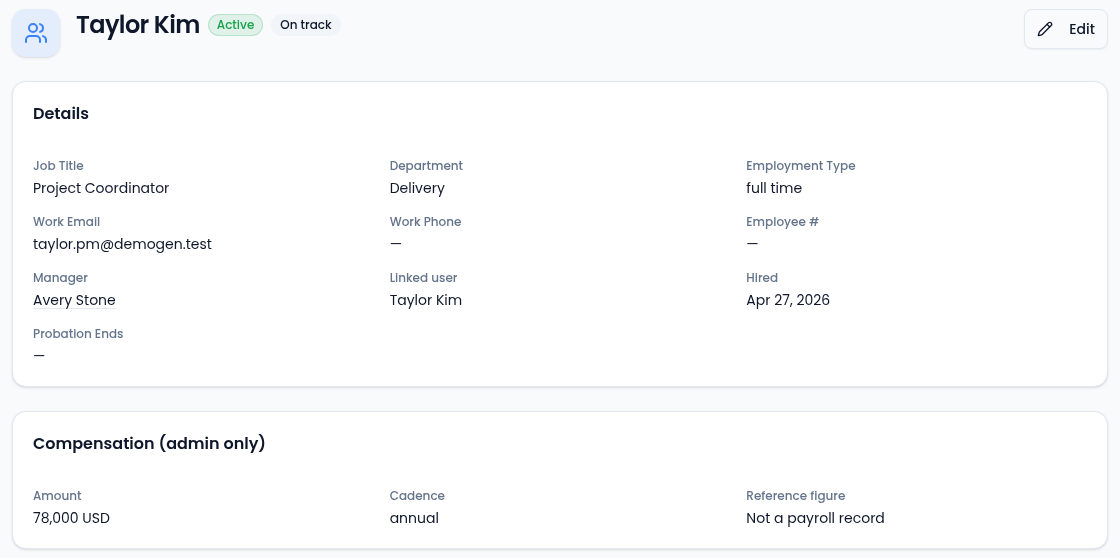
- Details shows the job title, department, employment type, work email and phone, employee number, hire date and probation end date, plus the termination date once someone has left. It also shows their Manager (select the name to open that person) and their Linked user, the team member account they sign in with, or No manager and Not linked.
- Compensation (admin only) shows pay for roles with the View Employee Compensation permission. It's a reference figure, not a payroll record.
- Edit changes any of these fields, including notes, the manager and the linked user. Choose No manager or Not linked to remove one. It needs the Manage Employees permission. If a change can't be saved, a message says why and the dialog stays open. See Manager and linked user.
Hire, leave and termination
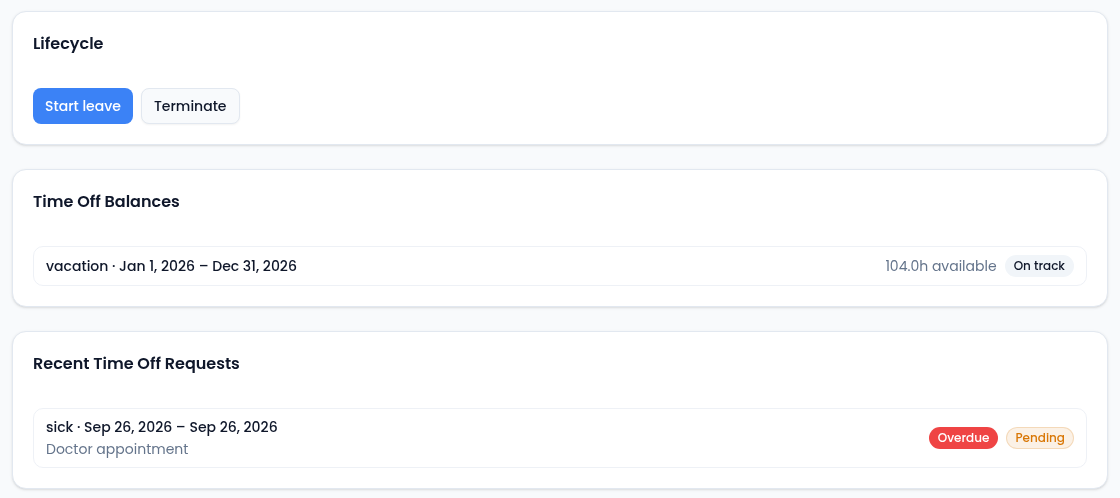
The Lifecycle card shows only the moves the person's current status allows:
- Hire / Reinstate makes a Prospective employee Active, or brings someone back from leave.
- Start leave moves an Active employee to On leave.
- Terminate ends employment and sets the termination date to today. It can't be undone.
Start leave and Terminate ask for an optional note before they go through. Select Cancel in that prompt to stop. Once someone is terminated, the card says there are no further actions.
Their time off
- Time Off Balances lists each balance for the person with the hours available and a Low balance or No balance flag. Select one to open it on Balances.
- Recent Time Off Requests lists their latest requests with the status and any follow-up flag. Select one to review and decide it.
- Attached Documents lists files attached to this person. You can't add files from this page.