Meeting types
Create the templates behind your booking links — length, buffers, where the meeting happens, and video — and choose your default.
A meeting type is a template for meetings people book through your booking links. It sets how long the meeting is, the buffer time around it, where it happens, and whether a video link is created. Make one for each kind of meeting you offer, such as a 15-minute check-in, a 30-minute intro call or a 60-minute site survey.
Meeting types are personal: this page lists your own, and each teammate keeps theirs. Team owners and admins can manage a teammate's meeting types when needed.
Open Scheduling → Meeting Types (route /scheduling/event-types).
This page used to be called Event Types. It was renamed so it isn't confused with Events, which hosts gatherings with many guests.
The Meeting Types page
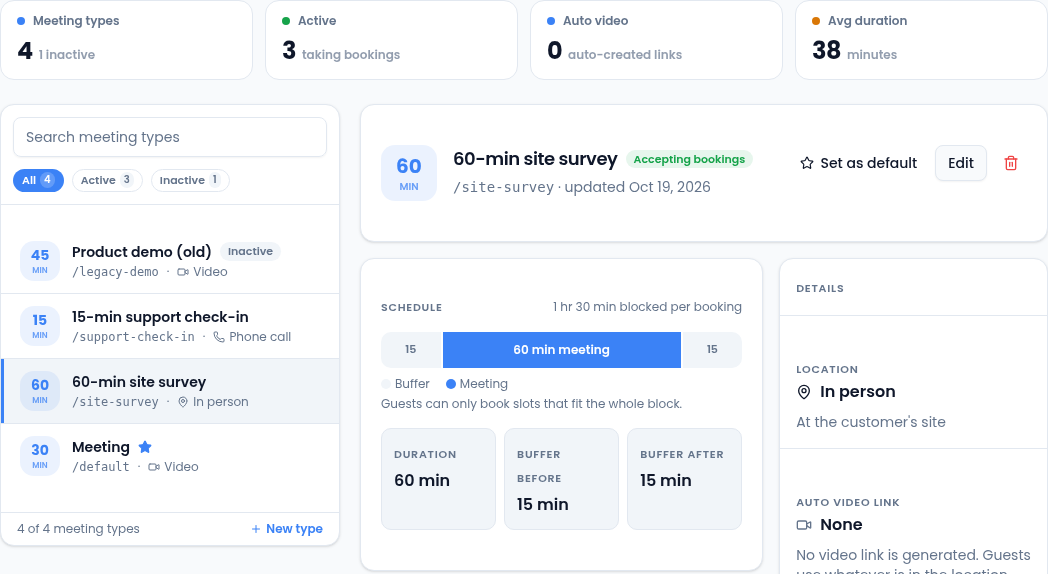
- The cards count your meeting types, how many are taking bookings, how many create video links automatically, and the average length.
- Search the list, or filter it to Active or Inactive types.
- Select a type to see its details on the right. Set as default, Edit and the bin are at the top.
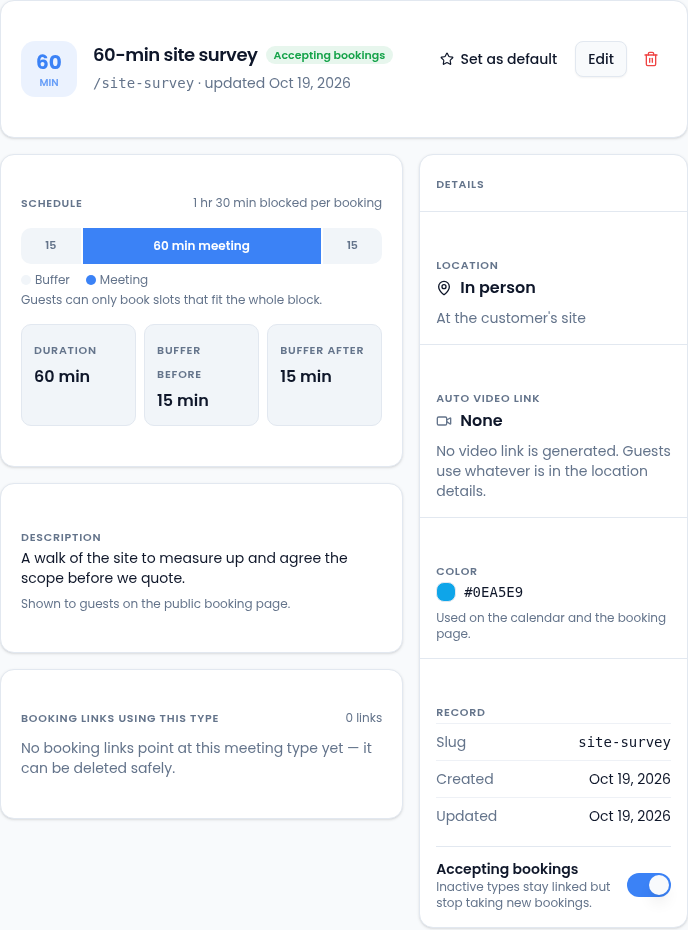
- Schedule shows the time each booking blocks on your calendar, buffers included.
- Booking links using this type lists the links that book it.
- Accepting bookings turns the type on or off. A type that's off stays linked to its booking links, but they stop taking new bookings.
Create a meeting type
-
Select New meeting type.
-
Enter a Title. This is what guests see at the top of the booking page.
-
Enter a URL slug: lowercase letters, digits and hyphens, such as
implementation-review. Each of your meeting types needs a different one. -
Add a Description if you like. It's shown on the booking page.
-
Set the Duration (minutes), or pick 15, 30, 45, 60 or 90. Add a Buffer before for travel or prep time and a Buffer after for notes and follow-up, each up to 60 minutes.
-
Choose the Location type: Phone call, Video or In person, and add the Location details guests need.
-
Choose an Auto video link: None uses whatever is in the location details, while Google Meet or Zoom creates a meeting link for each booking. A provider that needs connecting first says so.
-
Optionally pick a Color for the calendar and the booking page.
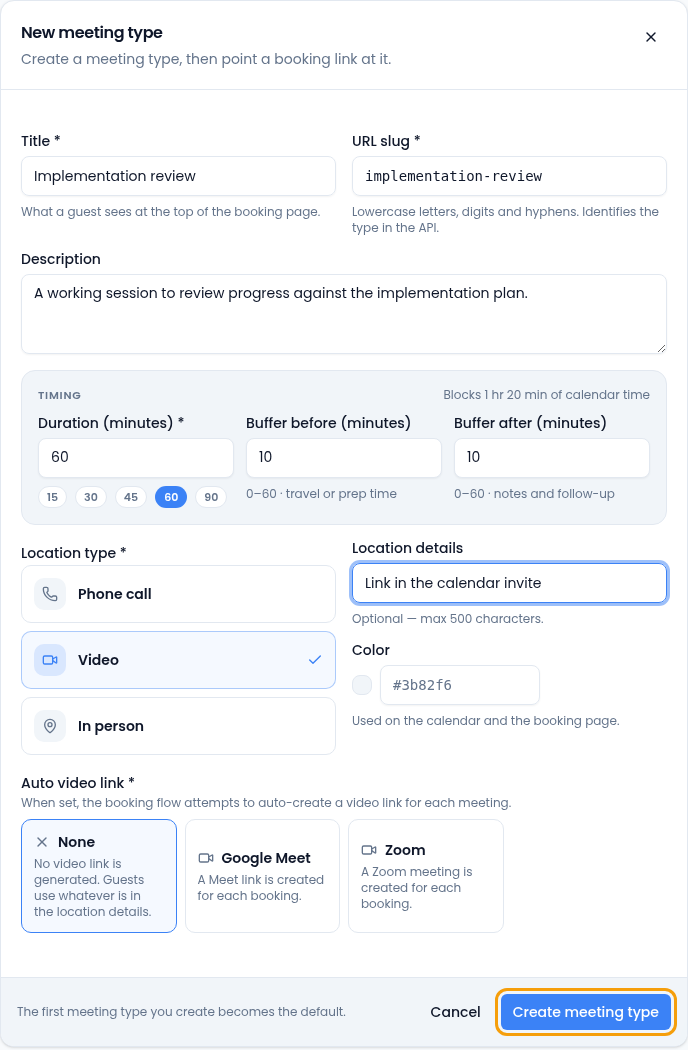
The timing panel shows how much calendar time each booking blocks. -
Select Create meeting type. It's ready to use in a booking link.
The first meeting type you create becomes your default automatically.
Your default meeting type
When you create a booking link, Vertiqa picks your default meeting type for you. To change it, select another type and choose Set as default.
Editing a meeting type's length or buffers doesn't move meetings already on the calendar. It applies to bookings made from then on.
Stop using or delete a meeting type
- To stop offering a type but keep its history, turn off Accepting bookings.
- You can delete a meeting type only when no booking link uses it. Move each link to another type, or delete the link first. Meetings already booked through the type stay on the calendar.
Tips
- Name types so it's obvious which one to pick, for example "30-min discovery call" or "60-min implementation review".
- Put prep and wrap-up time in buffers instead of trying to remember it.