Cycles and burndown
Plan a project's work in time-boxed cycles (sprints), start and complete them, and follow progress on the burndown.
A cycle is a time-boxed stretch of work, often called a sprint: a start date, an end date, a goal, and the tasks you mean to finish by then.
Open a project and select Cycles in its details panel (route
/pm/projects/{id}/cycles).
The Cycles page
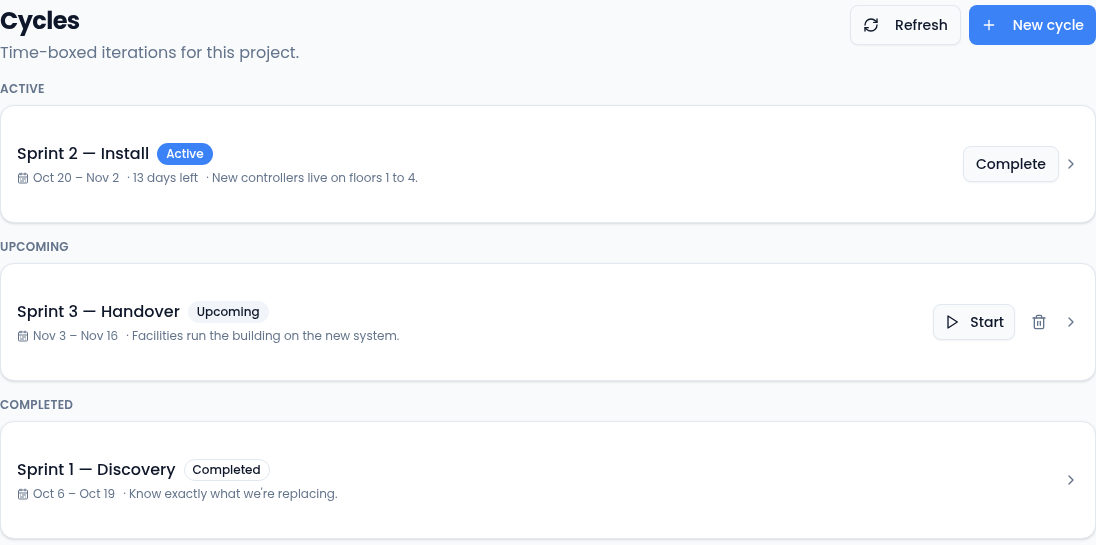
- Active: the cycle running now, with the days left and Complete.
- Upcoming: planned cycles, with Start and a bin to delete them.
- Completed: past cycles. They can't be changed or restarted.
A project can have one active cycle at a time.
Create a cycle
-
Select New cycle.
-
Enter a Name, such as "Sprint 4", and the Start date and End date. The end can't be before the start.
-
Add a Goal if you like: one line on what the cycle is for.
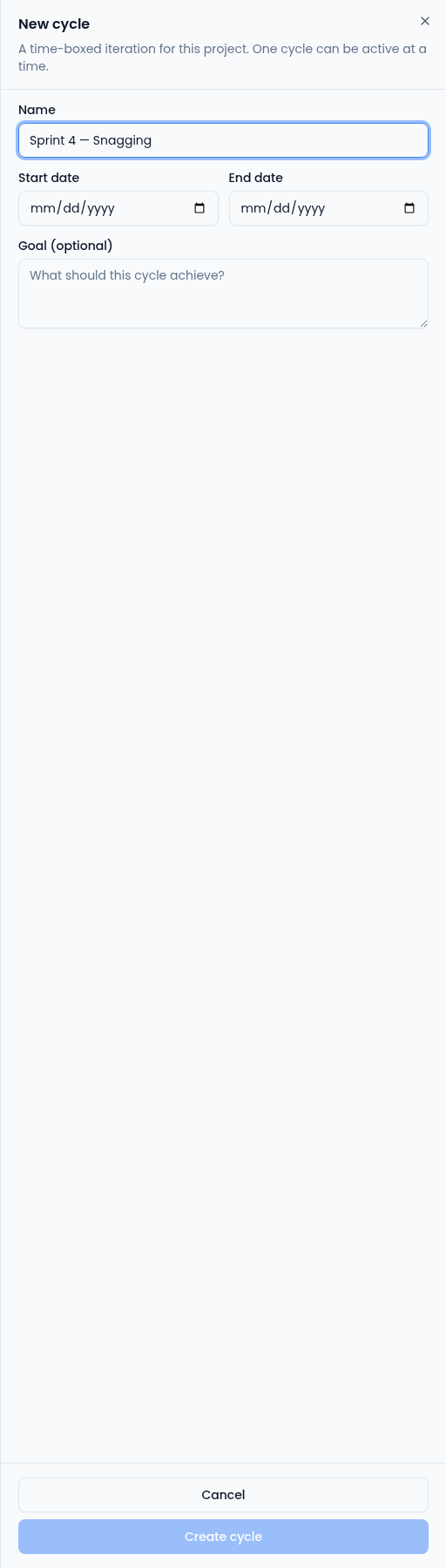
The goal shows on the cycle's page and in the list. -
Select Create cycle. It starts as upcoming; select Start when the work begins.
Follow a cycle
Select a cycle to open it.
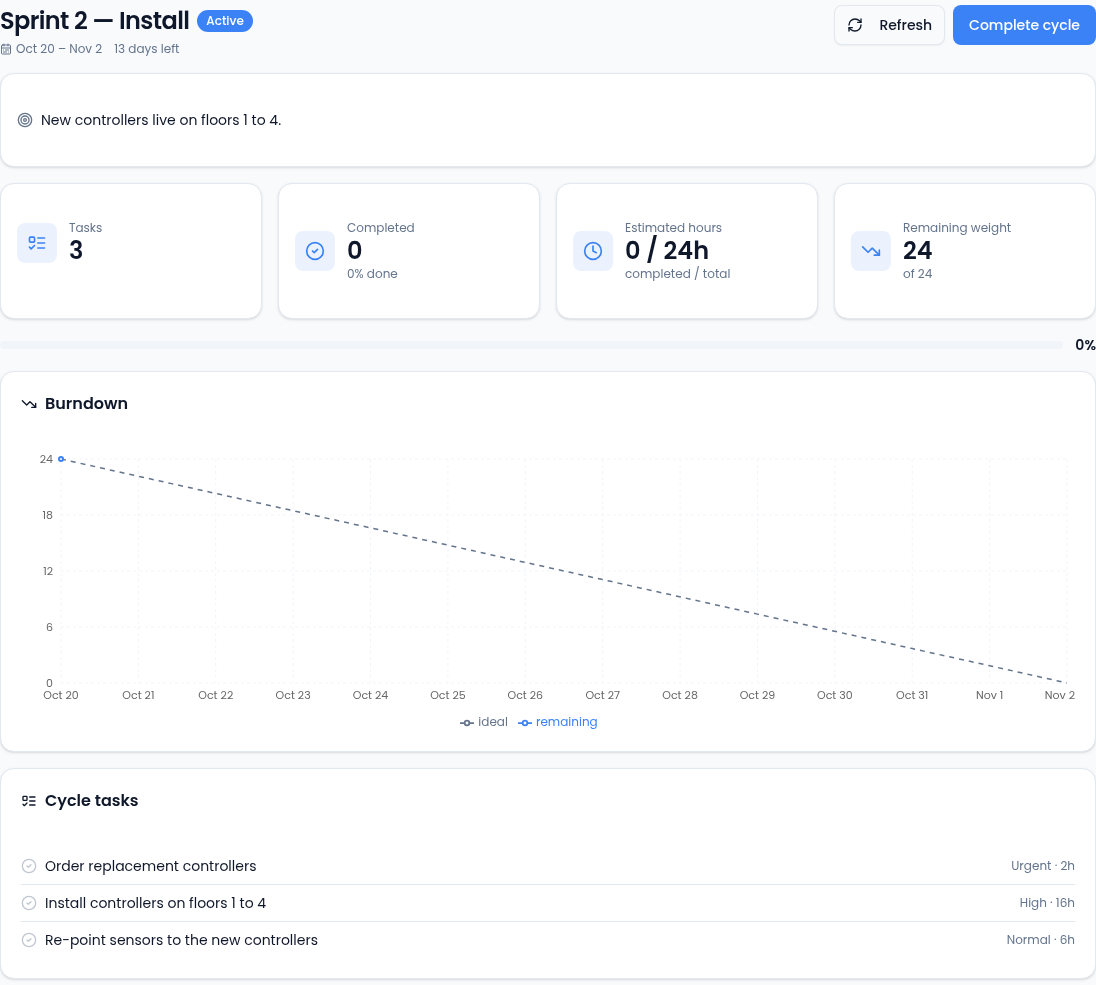
- The cards count the cycle's Tasks, how many are Completed, the Estimated hours done against the total, and the Remaining weight.
- Burndown plots the work remaining each day against the ideal line. If the remaining line sits above the ideal, the cycle is behind.
- Cycle tasks lists the work in the cycle.
Complete a cycle
Select Complete (or Complete cycle on its page). Unfinished tasks go back to the project's backlog, ready to be planned into the next cycle.
Putting tasks into a cycle
Adding tasks to a project's cycle from the project's pages isn't available yet. Teams that plan sprints across projects use Team sprint planning instead (a project with a sprint team links to it from its page), where you select tasks, choose the target sprint and add them, and completing a sprint can carry unfinished work into the next one.